Technical report
As a black box vulnerability scanner, Invicti crawls and attacks your web application to detect the vulnerable points. Once the scan is finished—and also during the scan—the Invicti dashboard provides you with an overview of the security status of your web application, its vulnerabilities and issues. The Technical report section of a Invicti Enterprise report offers in-depth information and provides useful shortcuts for immediate action.
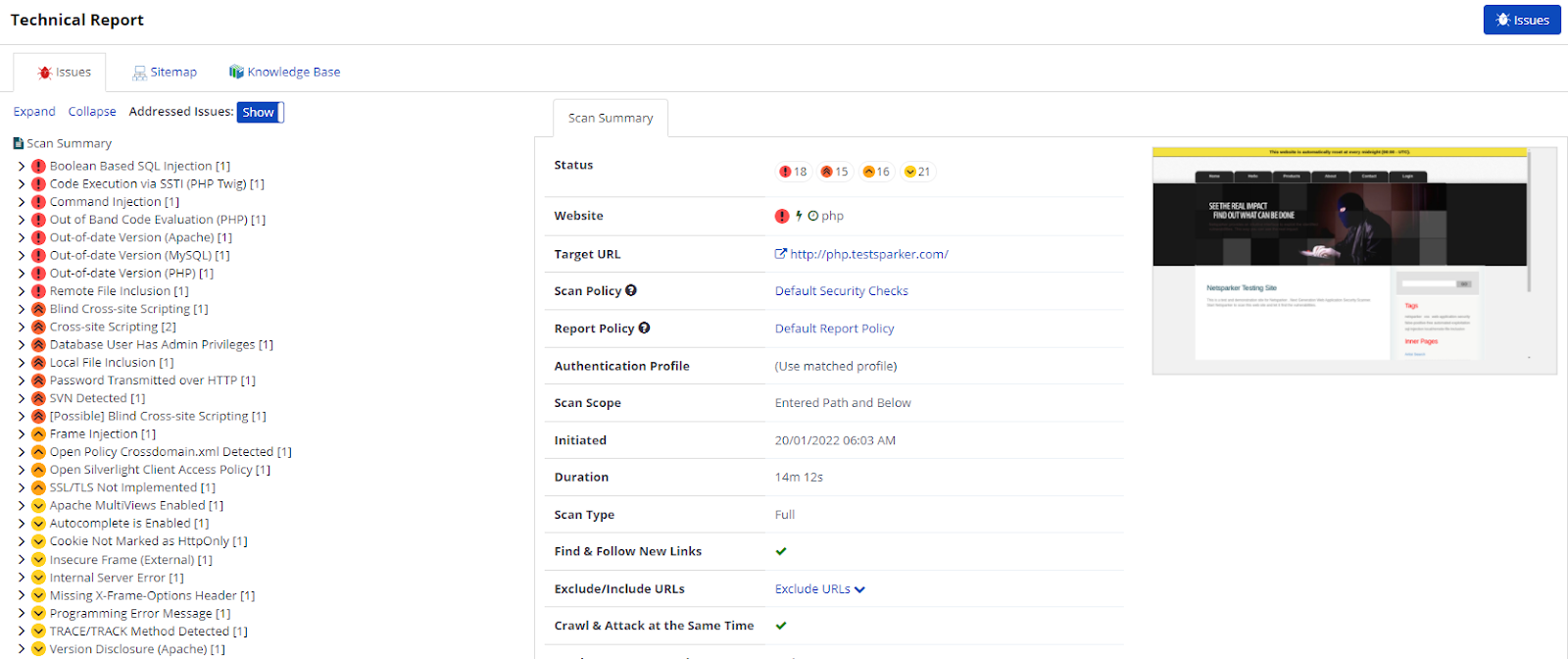
- This report displays information about the number, severity, and types of vulnerabilities identified, the impact they could have, and where they exist on the site.
- Further, using this report enables you to access further technical information such as Request and Response codes, and Proof of Exploit or Concept.
- Additionally, you can access Sitemap, Knowledge Base, and the Scan Summary.
- Technical report also makes it easy for you to take action on detected issues. If you have integrated any issue tracking system, you can assign issues to developers so that they can work on fixing them. Alternatively, you can easily classify any of these vulnerabilities as Accepted Risks or Fixed. For more information, refer to the Integrations document.
In Invicti Enterprise, the Issues, Sitemap, and Knowledge Base features described in this topic are displayed in the Technical report.
In Invicti Standard, they're displayed instead in the Panels in the Scan Summary Dashboard document.
Issues tab
The Issues tab lists all identified vulnerabilities and issues. Vulnerabilities are arranged into groups called 'families', in which they're prioritized based on their exploitability.
If you click an identified issue, you're provided with further information, showing whether the issue is Critical or Confirmed. You can also assign this issue to developers using the Send To button. Or, you can update the status of an issue as Fixed or Accepted Risk.
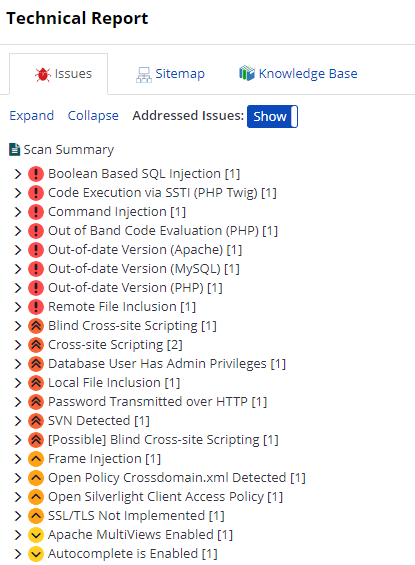
The following list shows the sections in the Issue window:
- URL.
- IAST Source File.
- IAST Extra Information.
- Parameter Name.
- Parameter Type.
- Attack Pattern.
- Retestable.
- Vulnerability Details.
- Impact.
- Actions to Take.
- Required Skills for Successful Exploitation.
- Remedy.
- Remedy Preferences.
- External Preferences.
- Classification.
- CVSS Score.
Addressed Issues (Show/Hide) - this option allows you to hide issues that are fixed or addressed or to display all issues.
For more information, refer to the Send To and Issues documents.
Sitemap tab
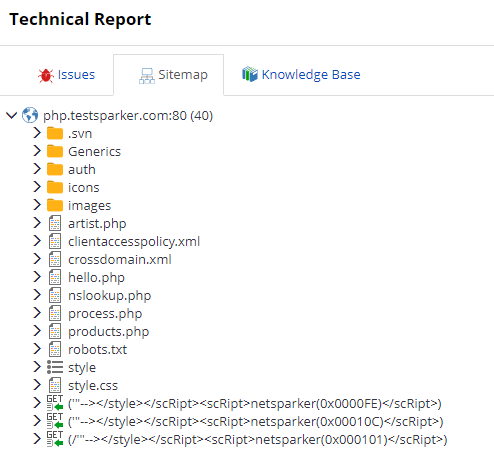
This Sitemap tab displays a list of all the directories and files that the scanner crawled. Within each node, all identified vulnerabilities, security flaws and vulnerable parameters are listed.
Knowledge Base tab
The Knowledge base tab displays a list of additional information about the scan and is grouped into, such as the number of proof, links, crawling, and scan performance, and slowest pages.
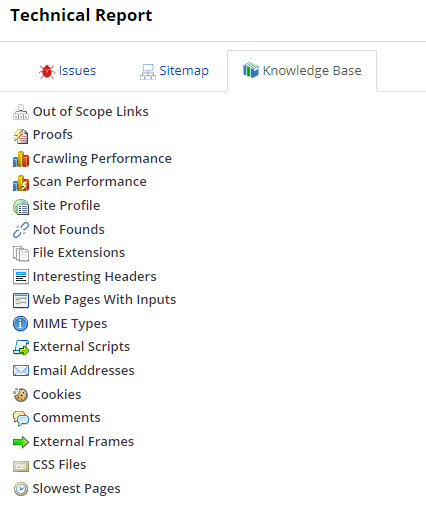
This information is useful for highlighting other potential security issues that aren't typically classified as vulnerabilities but can help attackers gain additional knowledge to craft a successful attack. This is one way that Invicti provides users with a complete, detailed analysis of the target web application.
For more information, refer to the Scan Summary dashboard document.
Scan summary tab
The Scan summary tab displays details of the scan, allowing you to see numbers of Issues grouped by severity. It also includes the Request and Response Code, Compliance Summary, and Technologies.
The following list describes the information displayed in the Scan Summary tab:
- Scan: this is a list of key information about the scan, such as:
- Status.
- Website Target URL.
- Shark (IAST).
- Scan Policy.
- Report Policy.
- Authentication Profile.
- Scan Scope.
- Initiated.
- Duration.
- Scan Type.
- Find & Follow New Links.
- Exclude/Include URLs.
- Crawl & Attack at the Same Time.
- Maximum Scan Duration.
- URL Rewrite Mode.
- Scan Time Window.
- Scan Owner.
- Tags.
- Issues: this is a list of detected issues, classified according to:
- Severity.
- Issues.
- Instances.
- Confirmed.
- Impacts: this shows the level of potential damage that attackers could inflict—such as accessing database or user information—due to vulnerabilities identified in the target web application. For more information, refer to the Vulnerability severity levels document.
- Compliance Summary: this is a list of the issues relevant to:
- OWASP (Top Ten: 2013 report, 2017 report, ).
- PCI report v3.2. and 4.0.
- ISO 27001.
- Technologies: this shows the technologies used in web applications. Invicti Enterprise tracks and reports on problems, such as whether any of the technologies are out-of-date or whether a specific version has any issues. For more information, refer to the Technologies document.
For more information on viewing issues, refer to the Invicti Enterprise and Invicti Standard documents.
Need help?
Invicti Support team is ready to provide you with technical help. Go to Help Center