SAML-based Single Sign-On integration
SAML (Security Assertion Markup Language) is a markup language designed for exchanging authentication information between the user, the identity provider (IdP), and the service provider (SP).
Invicti Platform supports both IdP-initiated and SP-initiated SAML methods.
info
This document explains the general steps to configure SAML-based authentication with Invicti Platform.
Configure SAML-based Single Sign-On integration
- In Invicti, select Settings > Security & access control > SSO & Provisioning from the left-side menu.
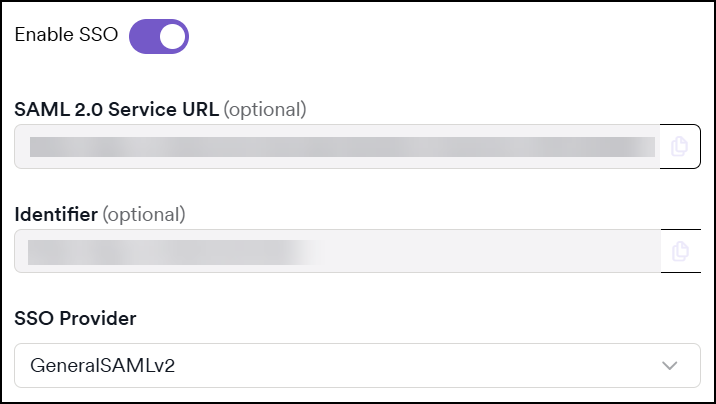
- Turn on the Enable SSO toggle.
- Select GeneralSAMLv2 from the SSO Provider drop-down list.
- If your IdP (Identity Provider) requires you to specify a SAML Identifier for Invicti (it may also be referred to as the Audience or Target URL), use the value from the Identifier field.
- If your IdP requires you to specify a Consumer URL (it may also be referred to as the SSO Endpoint or Recipient URL), use the value from the SAML 2.0 Service URL field.
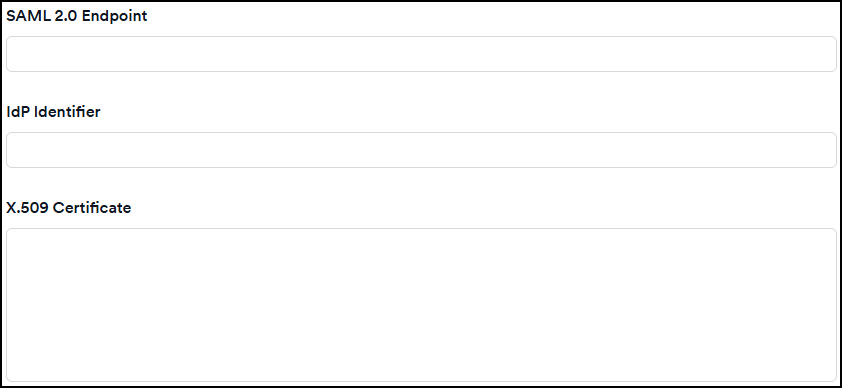
- From your IdP, retrieve the URL for the SSO Endpoint field and paste it into Invicti's SAML 2.0 Endpoint field.
- From your IdP, retrieve the IdP Identifier field and paste it into Invicti's IdP Identifier field.
- Export your X.509 certificate, copy its content, and paste its value into Invicti's X.509 Certificate field.
- Select the signed assertions, encrypted assertions, or sign requests checkboxes as needed.
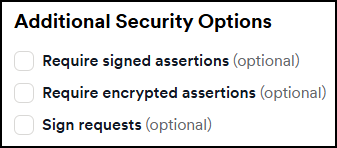
- If you enable any assertions or requests, a new section appears where you can Generate a new certificate or upload an existing one.
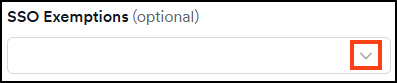
- From the SSO Exemptions drop-down, choose users who can log in to Invicti via password.
- Click Save.
info
To learn more about the Single Sign-On fields, refer to the Single Sign-On configuration document.
Need help?
Invicti Support team is ready to provide you with technical help. Go to Help Center
Was this page useful?