Package: Invicti AppSec Core (on-demand)
ServiceNow Integration
ServiceNow is a cloud-based IT service management (ITSM) platform used by organizations to manage and automate IT workflows, incidents, and service requests. The Invicti AppSec integration with ServiceNow enables security teams to create and track ServiceNow incidents or tickets directly from discovered vulnerabilities, bridging the gap between security findings and IT remediation workflows.
Purpose in Invicti AppSec
ServiceNow is used in Invicti AppSec as an Issue Manager — a tool for creating, tracking, and syncing tickets with external ticketing systems.
| Use Case | Description |
|---|---|
| Ticket creation from vulnerabilities | Create ServiceNow incidents or requests directly from vulnerability findings in Invicti AppSec |
| Remediation tracking | Track the status of remediation efforts through ServiceNow ticket lifecycle |
| Team assignment | Route security issues to the appropriate IT or development teams via ServiceNow user groups |
Where It Is Used
| Page | Navigation Path | Purpose |
|---|---|---|
| Integrations — Issue Managers | Integrations › Issue Managers | Admin activation and global configuration |
| Project Settings | Project › Settings › Issue Managers | Link ServiceNow to a specific project for automated ticket creation |
| Vulnerability List | Project › Vulnerabilities | Manually create a ServiceNow ticket for a specific vulnerability |
| Team Lead Integrations | Team Lead view › Integrations › Issue Managers | Team leads activate instances delegated by admins |
Prerequisites
Before activating the integration, gather the following credentials from your ServiceNow instance:
| Field | Description | Required |
|---|---|---|
| Username | The ServiceNow service account username used for API access | Yes |
| Password | The password for the service account | Yes |
| URL | Your ServiceNow instance URL (e.g., https://your-company.service-now.com) | Yes |
| Insecure | Enable only if your instance uses a self-signed SSL certificate | No |
Obtain Credentials (on the ServiceNow Side)
Username and Password:
- Log in to ServiceNow as an administrator.
- Create or identify a dedicated service account for Invicti AppSec. Using a dedicated account is recommended over personal credentials.
- Ensure the account has the itil role or equivalent read/write access to incidents and service requests.
- Note the username and password for this account.
Instance URL:
- Your ServiceNow instance URL is visible in your browser's address bar when logged in.
- It follows the format:
https://<your-instance-name>.service-now.com - Use only the base URL without any path (e.g.,
https://acme.service-now.com).
After a successful Test Connection, Invicti AppSec will display the available User Group Types from your ServiceNow instance. Select the appropriate group type to route tickets to the correct team.
Activation Steps
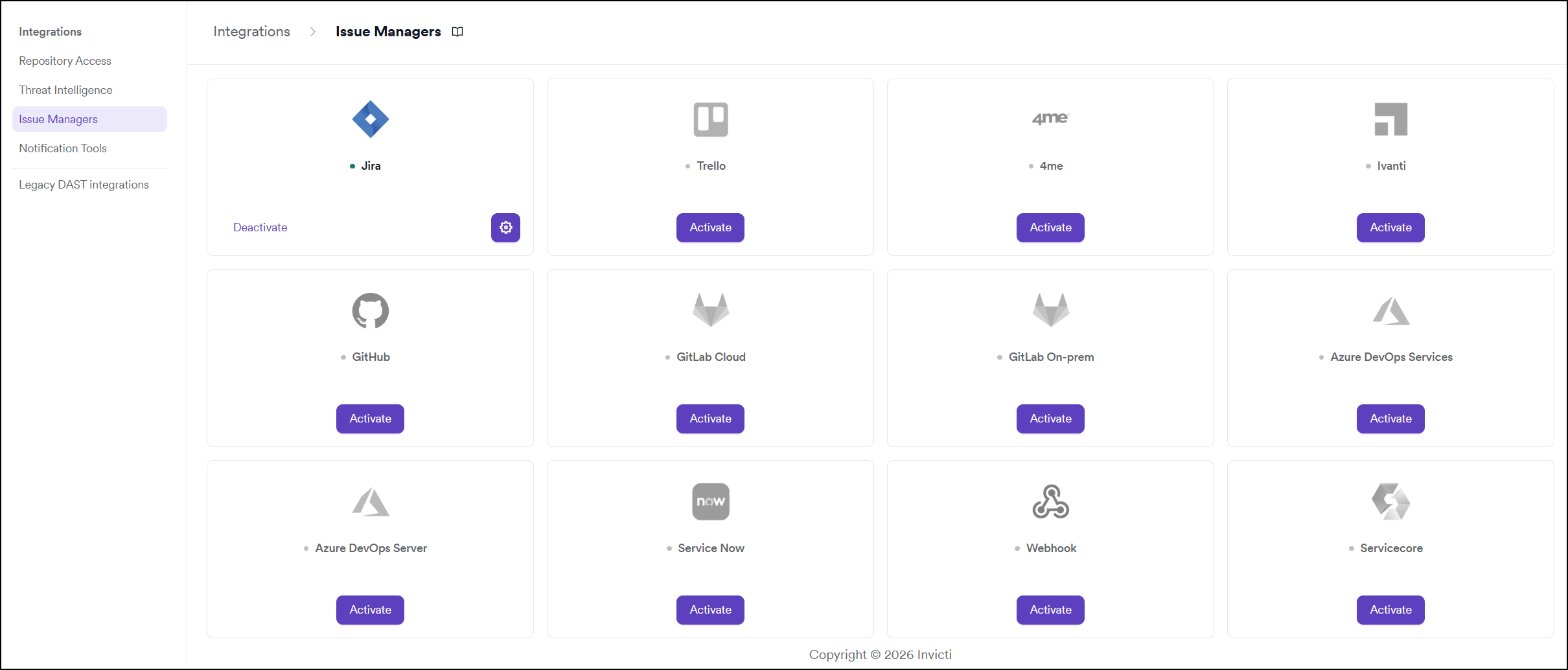
Step 1: Navigate to Integrations
From the left sidebar, click Integrations.
Step 2: Open the Issue Managers Tab
On the Integrations page, click the Issue Managers tab.
Step 3: Find and Activate ServiceNow
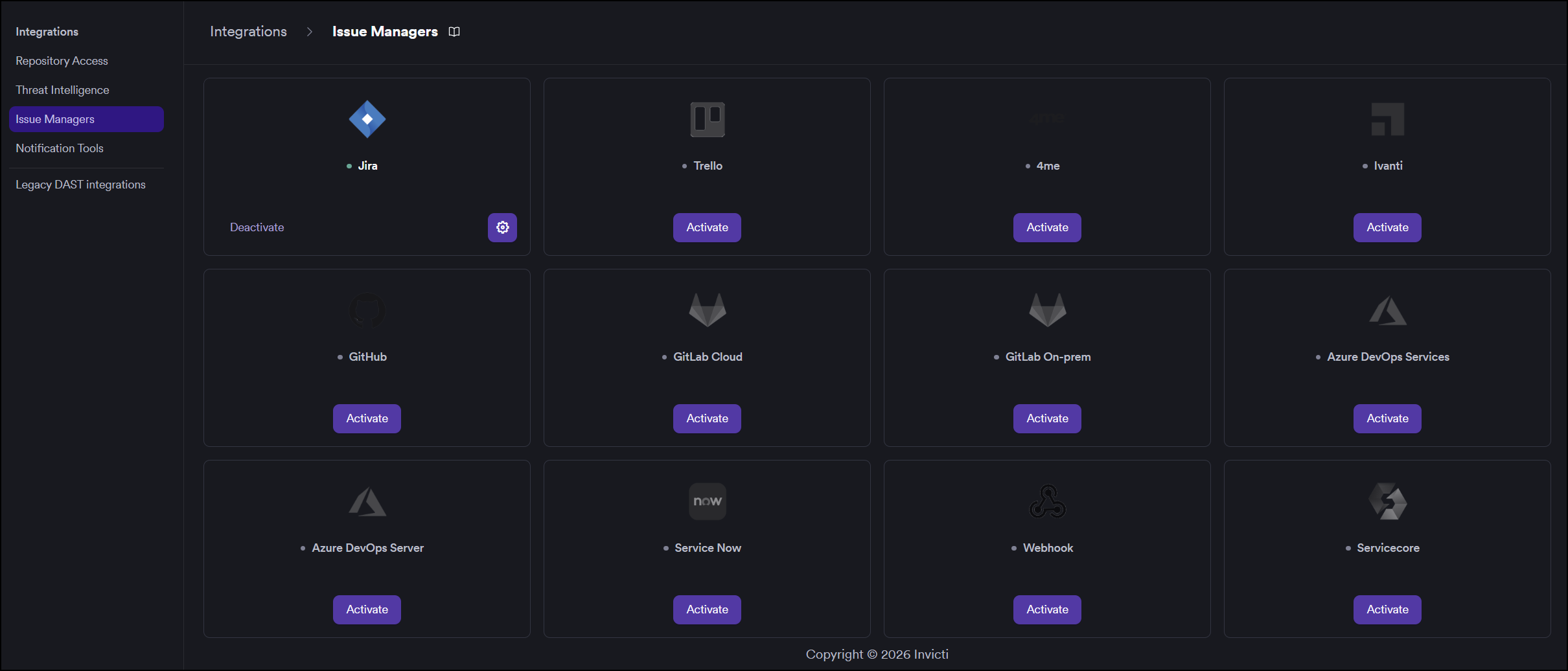
Locate the ServiceNow card.
- If it is not yet activated, click Activate to open the settings drawer.
- If it is already activated, click the gear icon to reconfigure.
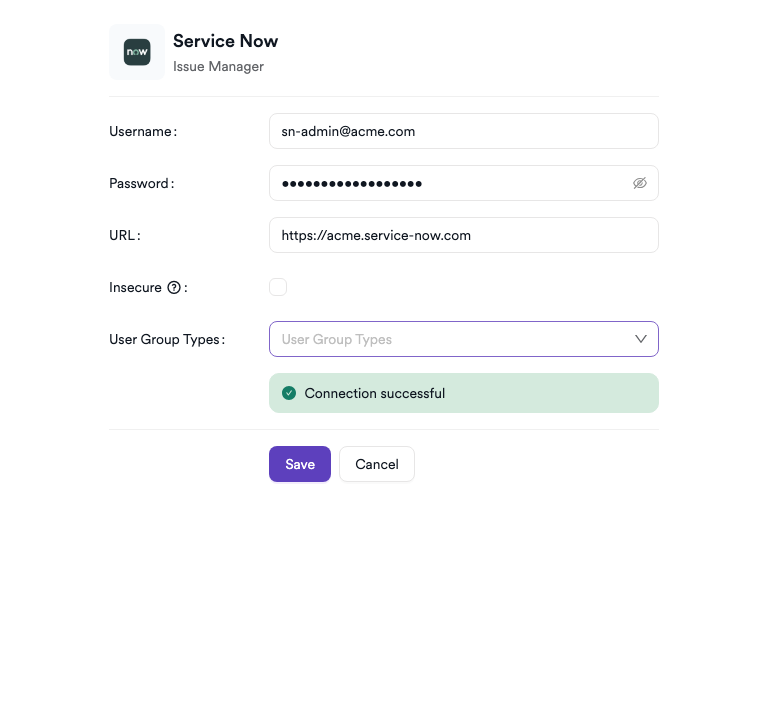
Step 4: Fill In the Required Fields
In the settings drawer, enter the required credentials:
| Field | Description | Required |
|---|---|---|
| Username | ServiceNow service account username | Yes |
| Password | Service account password | Yes |
| URL | Your ServiceNow instance base URL | Yes |
| Insecure | Enable for self-signed SSL certificates | No |
Step 5: Test the Connection
Click Test Connection. After a successful connection, a green "Connection successful" message appears and an additional User Group Types dropdown becomes available. Select the appropriate group type for routing tickets.
Step 6: Save
Click Save to complete the activation.
Summary
| Step | Action |
|---|---|
| 1 | Navigate to Integrations from the sidebar |
| 2 | Select the Issue Managers tab |
| 3 | Find ServiceNow and click Activate (or the gear icon) |
| 4 | Enter Username, Password, and URL |
| 5 | Click Test Connection — select the User Group Type from the dropdown |
| 6 | Click Save |
Troubleshooting
| Issue | Resolution |
|---|---|
| Connection failed | Verify the username, password, and URL are correct. Ensure the ServiceNow instance is reachable from the Invicti AppSec network. |
| 401 Unauthorized | The service account credentials are incorrect or the account is locked. Reset the password in ServiceNow and retry. |
| No User Group Types listed | The service account may lack permission to read group types. Ensure the account has the itil role or equivalent. |
| SSL / certificate error | Enable the Insecure option for self-signed certificates, or add the certificate to your trust store. |
| URL invalid | Ensure the URL contains the protocol (https://) and does not include a trailing path (e.g., /nav_to.do). Use only the base URL. |
Need help?
Invicti Support team is ready to provide you with technical help. Go to Help Center