Secrets
The Secrets feature allows you to store your secret value encrypted in the Invicti scanner and used as a global variable that can be dynamically referred to during the scan. Using the secret improves the security of your sensitive data.
This document explains how to create and use a secret.
Create a secret
While creating a secret is possible in Invicti Enterprise on-demand, using it with Pre-Request Script or Post-Request Script requires access to those features. Please refer to the linked documentation for information on how to enable them.
Create a secret in Invicti Enterprise
- Select Scans > New Scan from the left-side menu.
- In the Scan Settings section click Secrets.
- Click + New Secret to add a new secret.
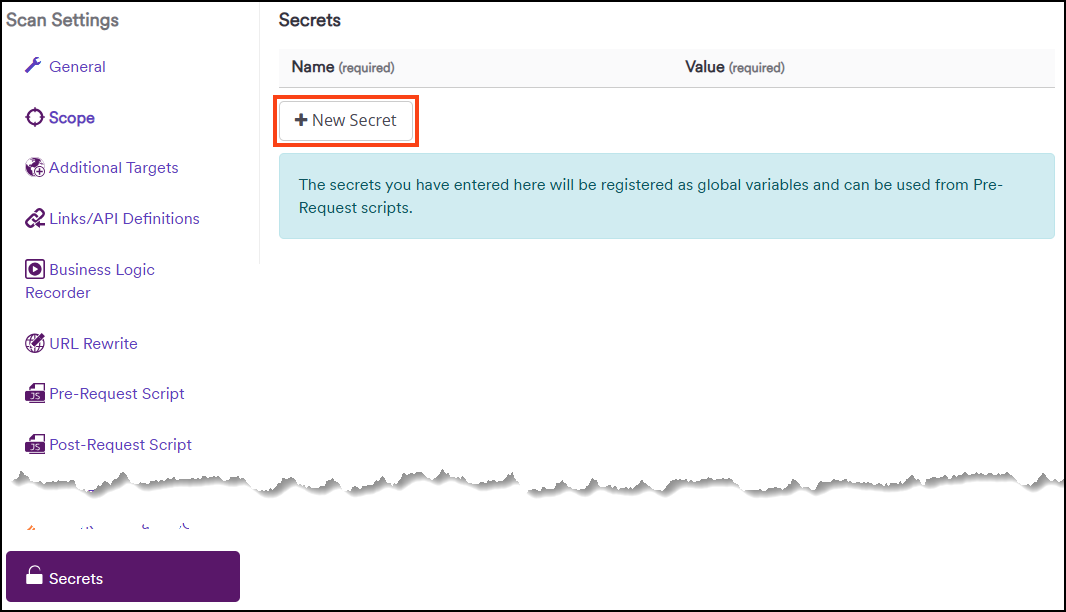
- Type a secret's Name and Value in the text fields.

- You can now refer to the Secret in a Pre-Request Script, Post-Request Script, or Header Authentication.
- Click Save Profile to save the settings of the scan for future use or Launch to run the scan.
Create a secret in Invicti Standard
- Click New in the Home tab.
- In the Scan Settings section click Secrets.
- Type a secret's Name and Value in the text fields.
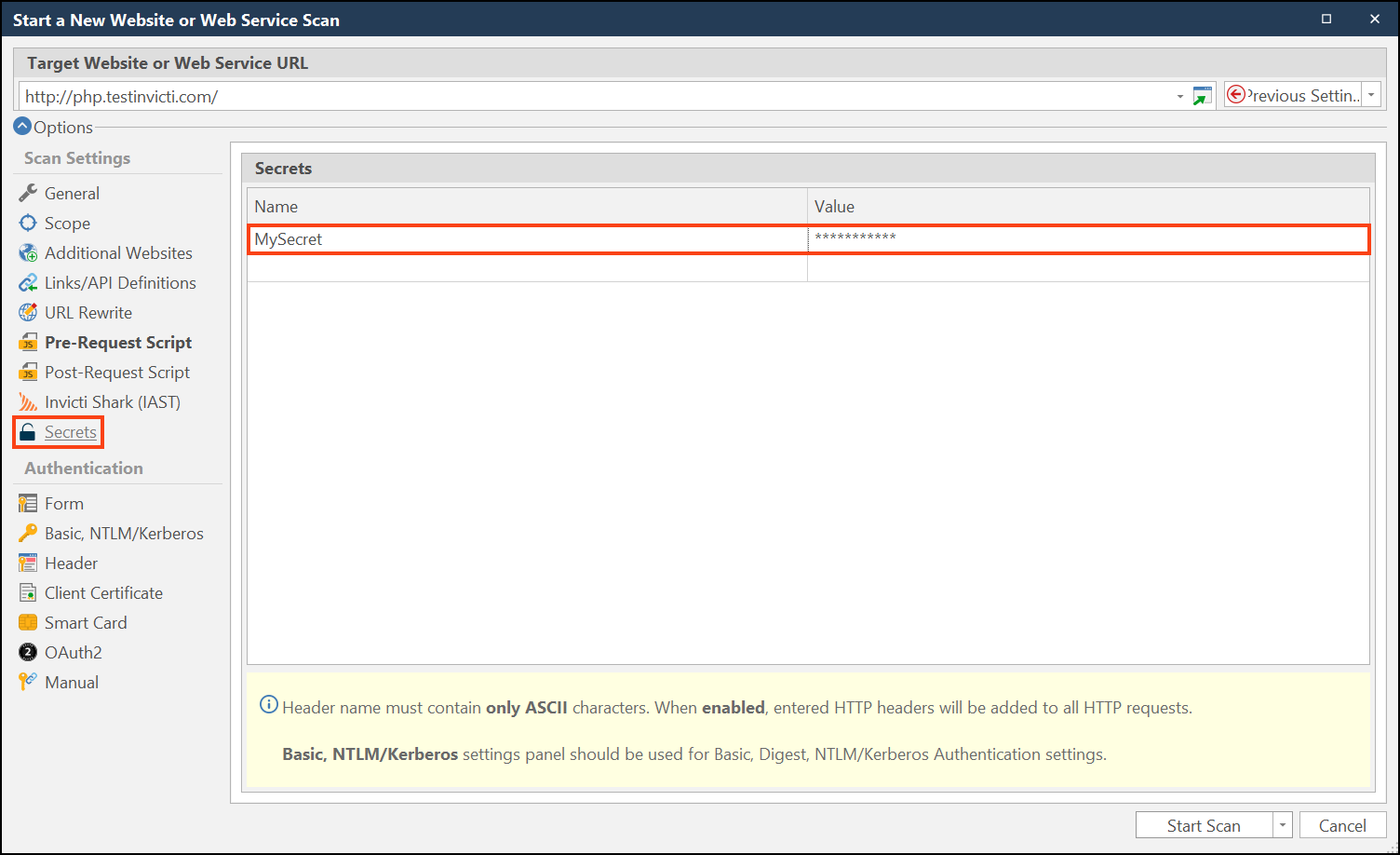
- You can now refer to the Secret in a Pre-Request Script, Post-Request Script, or Header Authentication.
- Click Start Scan to run a scan.
How to use a secret
Refer to the Secret using Pre-Request or Post-Request Script or Header Authentication.
Use a secret with a script
To dynamically refer to the secret, use the following example code in your script:
var myToken = invicti.getGlobalVariable("MySecret");
For more information regarding scripts, refer to the Pre-request scripts and Post-request scripts documents.
Use a secret with header authentication
To refer to the secret in Header authentication use the name of your secret in curly braces as a Value, for example: {MySecret}.

The encrypted secret will be visible in the HTTP Request/Response > Raw tab in the Scan summary.
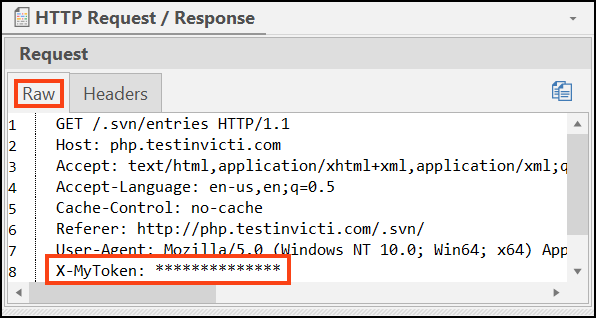
For more information, refer to the Configuring header authentication document.
Need help?
Invicti Support team is ready to provide you with technical help. Go to Help Center