Deployment: Invicti Platform on-demand, Invicti Platform on-premises
Incremental scan
Incremental scanning offers a faster, more efficient way to secure your APIs and web applications. Instead of scanning the entire application, it focuses only on newly discovered or modified pages - saving both time and resources.
To further streamline your workflow, minor changes such as dynamic timestamps or visitor counters are automatically ignored, ensuring scans remain focused on meaningful differences. This reduces noise, improves scan accuracy, and minimizes the workload for your team.
This document guides you through the steps to launch an incremental scan in Invicti Platform.
All scans must comply with the Authorized target scanning policy. Review this document before executing the scans.
Steps to set up an incremental scan
- Select Scans from the left-side menu, then click New scan on the DAST scans page to open the scan settings.
- Select Scan target, Scan profile, and Report fields to configure the scan parameters.
- Optionally, in the Tags field, add tags to label and organize the scan.
- Set the Would you like the scan to be incremental? option to Yes.

- In the How would you like to scan field, select Recurring.

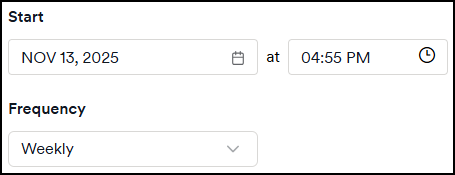
- Specify the Start date and time and select your scan Frequency. Add an end date if applicable.
- Click Schedule scan.
Alternative scan options
- Instant scan - starts a scan immediately on the selected target.
- Future scan - schedules a one-time scan for a specific date and time.
- Scheduled scan - sets up recurring scans through DAST scan schedules.
- Recurring scan - sets up automated recurring scans from the DAST scans page.
- Scan dynamic URL target - triggers scans on ephemeral targets via API or CI/CD.
- PCI ASV scan - runs official PCI DSS compliance scans through Clone Systems.
Need help?
Invicti Support team is ready to provide you with technical help. Go to Help Center