Deployment: Invicti Platform on-demand
Package: Ultimate and Professional
PCI ASV scan
With Invicti Platform, you can efficiently perform PCI DSS scans through our Approved Scanning Vendor (ASV) partner, Clone Systems. This streamlined integration enables you to conduct official PCI DSS scans and generate approved compliance reports aligned with your organization’s security and regulatory needs.
This document explains how to launch a PCI ASV scan, monitor its progress, and download compliance reports.
PCI ASV scans are available exclusively to Invicti Platform on-demand users. If your organization requires PCI ASV reporting, contact your Customer Success Manager (CSM) to activate this capability.
Prerequisites
Before running a PCI ASV scan, make sure your environment is configured for complete PCI coverage by adding the required IP addresses to your trustlist:
- Trustlist requirements for the CA region
- Trustlist requirements for the EU region
- Trustlist requirements for the US region
- Consequences of scanning without trustlisting
Launch a PCI ASV scan
- Select Scans > PCI ASV scans from the left-side menu.
- Click New scan in the upper-right corner.
- Select the Scan target.
- The Report defaults to PCI ASV report.
- Optionally, in the Tags field, add tags to label and organize the scan.
- Click Start to start the scan immediately.
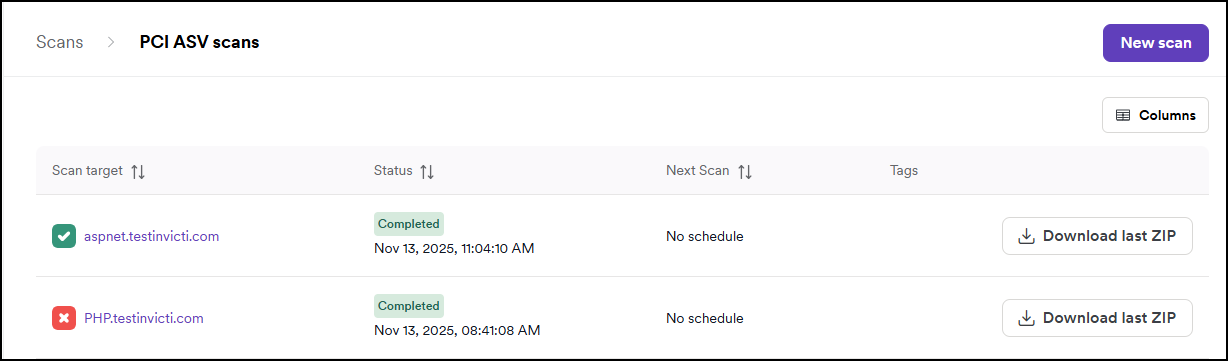
- Once you launch the scan, it appears on the PCI ASV scans page.
View scan detail
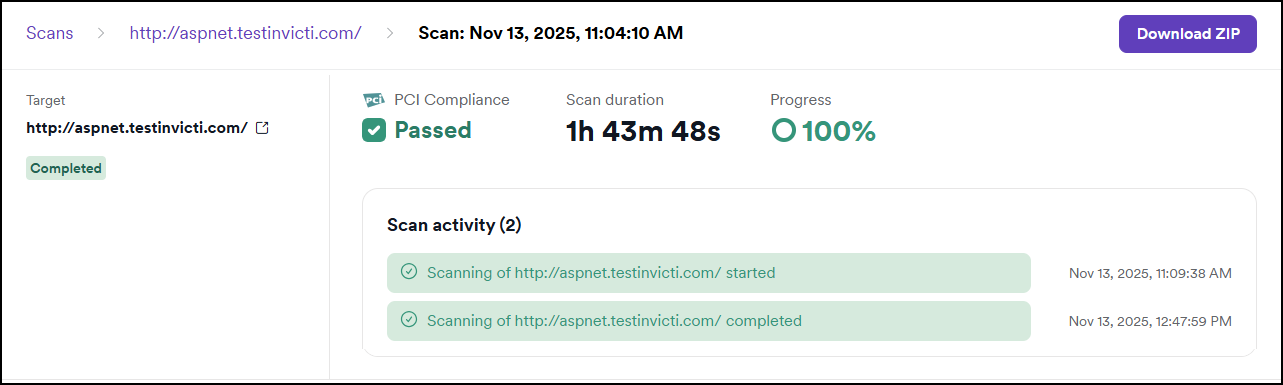
After starting a PCI ASV scan, you can view its details to monitor progress or review results:
- In Scans > PCI ASV scans, select a scan from the list to open the detail page.
- Each scan shows a PCI compliance logo with the status: Passed or Failed.
- Scan duration and progress percentage are displayed.
- The scan activity section shows progress updates with timestamps.
- Use the Download ZIP button to download the reports.
Download PCI ASV reports
You can download the PCI ASV reports once a scan is completed (Passed or Failed):
- In Scans > PCI ASV scans page, locate the completed scan.
- Click Download last ZIP on the right.
Alternatively, open the scan detail by clicking on the completed scan and then click Download ZIP.
The ZIP file includes these three reports:
- Attestation report - official compliance confirmation
- Detailed report - full technical results
- Executive report - summary for management
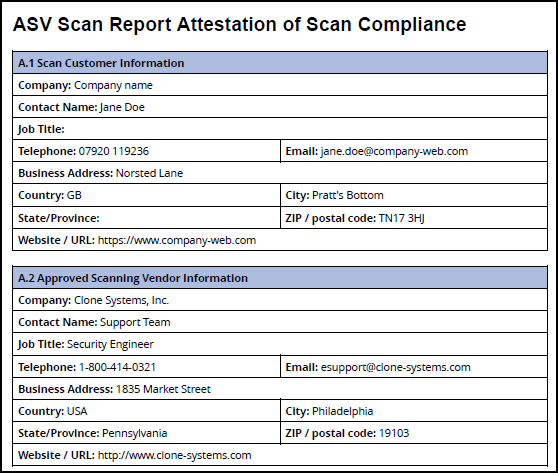
Go to the settings, to configure the information you see in the reports. For instructions, refer to the PCI ASV settings document.
Alternative scan options
- Instant scan - starts a scan immediately on the selected target.
- Future scan - schedules a one-time scan for a specific date and time.
- Scheduled scan - sets up recurring scans through DAST scan schedules.
- Recurring scan - sets up automated recurring scans from the DAST scans page.
- Incremental scan - scans only newly discovered or modified pages.
- Scan dynamic URL target - triggers scans on ephemeral targets via API or CI/CD.
Need help?
Invicti Support team is ready to provide you with technical help. Go to Help Center