Package: Invicti AppSec Core (on-demand)
Configure CI/CD security criteria
This document explains how to configure CI/CD security criteria for your projects in Invicti AppSec. Security criteria act as gates that prevent projects from advancing in the CI/CD pipeline when they do not meet the defined security requirements.
Security criteria can be set at both a global and project level using the Invicti AppSec open-source CLI to query whether projects meet or fail their security criteria.
How global and project-level criteria interact
- The global default preset is automatically applied to all projects.
- You can import other global presets to projects by clicking Import Global Preset.
- Project-level criteria work alongside the global default preset. If either fails, the project fails the security criteria.
- Global presets imported to projects can be edited at the project level. Changes apply only to the project-level criteria, not the global preset.
Security criteria entered within project settings take effect immediately. Security criteria entered at a global level take effect either within 10 minutes or after one of the following events:
- A vulnerability is updated (by manually changing severity or by marking it as a false positive, won't fix, or mitigated)
- A new scan is run or a new file is imported
Security criteria status indicators
Security criteria status is visible across the platform:
- Green circle next to a project name: security criteria are met.
- Red circle next to a project name: security criteria are not met.
- Grey circle next to a project name: security criteria are not enabled for that project.
The dashboard also tracks the number of projects failing their security criteria.
Steps to configure security criteria
Security criteria can be set separately for different scanner types (SAST, DAST, SCA, etc.) on a branch level. You can specify multiple criteria for each scanner type. If any single criterion is not met for a specific scanner type, the project fails its security criteria.
To configure security criteria for your project:
- Select Inventory > Projects from the left side menu.
- Click the project name to open the project dashboard.
- Select the Settings tab > CI/CD security criteria.
- Use the toggle to turn on the CI/CD security criteria
- Configure criteria using the Add custom criteria.
- Define a new rule using one of the following tabs:
- Condition: define rules where security criteria aren't met when even a single vulnerability matches the specified conditions. You can combine conditions using
ANDstatements. For example "When OWASP Top-10 Category is A1 Injection"AND"When Severity is Medium or High." Multiple selections within each condition function as an OR statement. The modal displays how many AppSec and Infra vulnerabilities are affected by the rule. - Count: create CI/CD security criteria based on the count of the defined vulnerabilities. Specify the threshold using the "Count is greater than or equal to" field. You can further scope the rule using
ANDstatements. The project doesn't meet security criteria if the number of matching vulnerabilities meets or exceeds the specified count.
- Condition: define rules where security criteria aren't met when even a single vulnerability matches the specified conditions. You can combine conditions using
- Click Save on the dialog box and then again on the bottom of the page to apply your configuration.
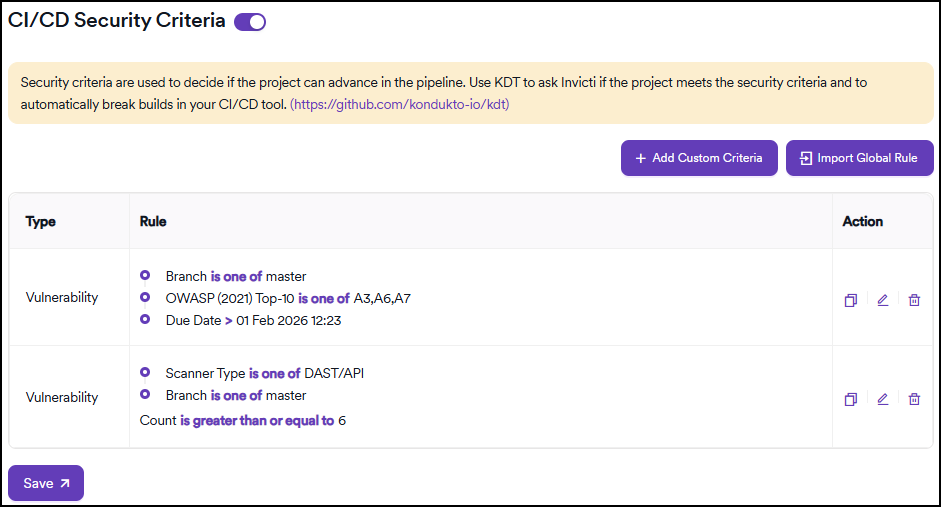
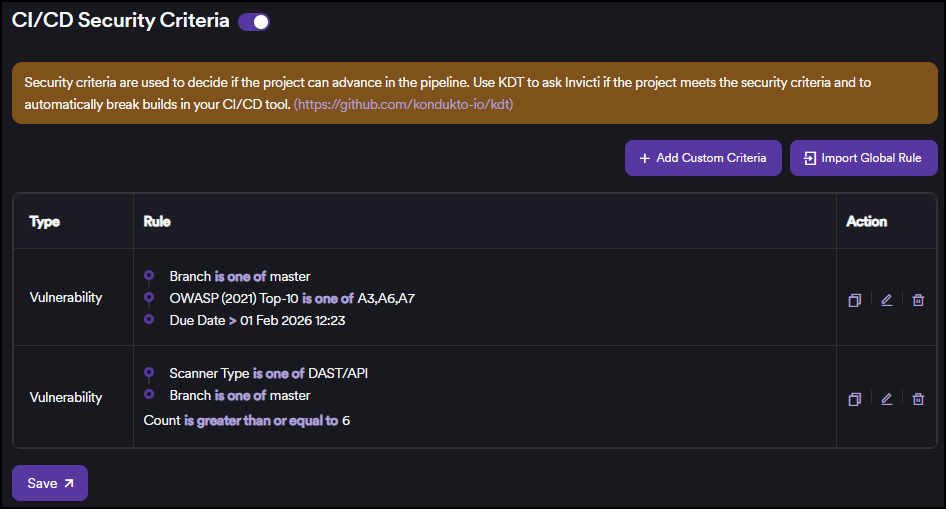
When you activate this for the first time, Invicti AppSec updates the security criteria status within 10 minutes and checks if any projects fail this type of security criteria every 10 minutes.
Need help?
Invicti Support team is ready to provide you with technical help. Go to Help Center