Service Credentials Settings
On the Service Credentials page, you can enable Recaptcha, Google's spam protection service. When enabled, Invicti displays a Recaptcha on login when it detects suspicious activity.
note
Service Credentials Settings is available in the Invicti Enterprise On-Premises Edition only.
For further information, see Overview of Settings in Invicti Enterprise and Invicti Editions.
Service Credentials Fields
This table lists and explains the fields on the Service Credentials Settings page.
| Field | Description |
|---|---|
| Recaptcha Secret Key | This key is used by Invicti on the server side in order to check whether or not the captcha was filled out correctly. |
| Recaptcha Public Key | The public key is used on the client side in order to enable the code to work in your web form. |
How to enable Recaptcha
- Log in to Invicti Enterprise.
- From the main menu, select Settings > Service Credentials.
- Select the Enable Recaptcha checkbox. Additional fields are displayed.
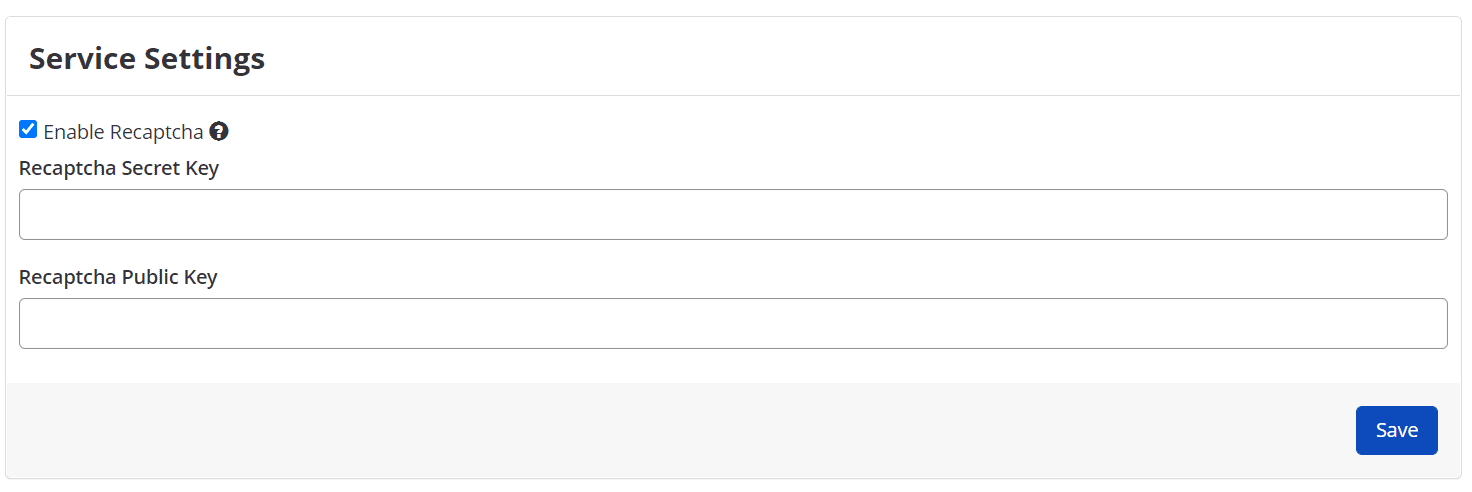
- In the Recaptcha Secret Key field, enter your key (see https://www.google.com/recaptcha/).
- In the Recaptcha Public Key field, enter your key (see https://www.google.com/recaptcha/intro/v3beta.html).
- Select Save.
Need help?
Invicti Support team is ready to provide you with technical help. Go to Help Center
Was this page useful?