Package: Invicti AppSec Core (on-demand)
Correlation assistant
Correlation Assistant can be used to identify similar vulnerabilities that can be grouped into a single ticket.
It can work either across specific scanners (e.g., only to correlate vulnerabilities across Wiz and Tenable) or regardless of the scanners (when "All" option is selected).
Use cases
There are two use cases of the Correlation Assistant feature:
1. Manual ticket creation on issue manager
When the Correlation Assistant toggle is turned on, Invicti AppSec looks for vulnerabilities that match with the fields of the vulnerability that the user is trying to create a ticket for.
Then it becomes possible to select those correlated vulnerabilities and create a single ticket for all of them.
Vulnerabilities that have been previously assigned an issue aren't included in the list since one vulnerability can't be mapped to multiple tickets in Invicti AppSec.
Correlation assistant toggle only appears when one vulnerability is selected to create a ticket for. For multiple vulnerabilities, this feature doesn't work.
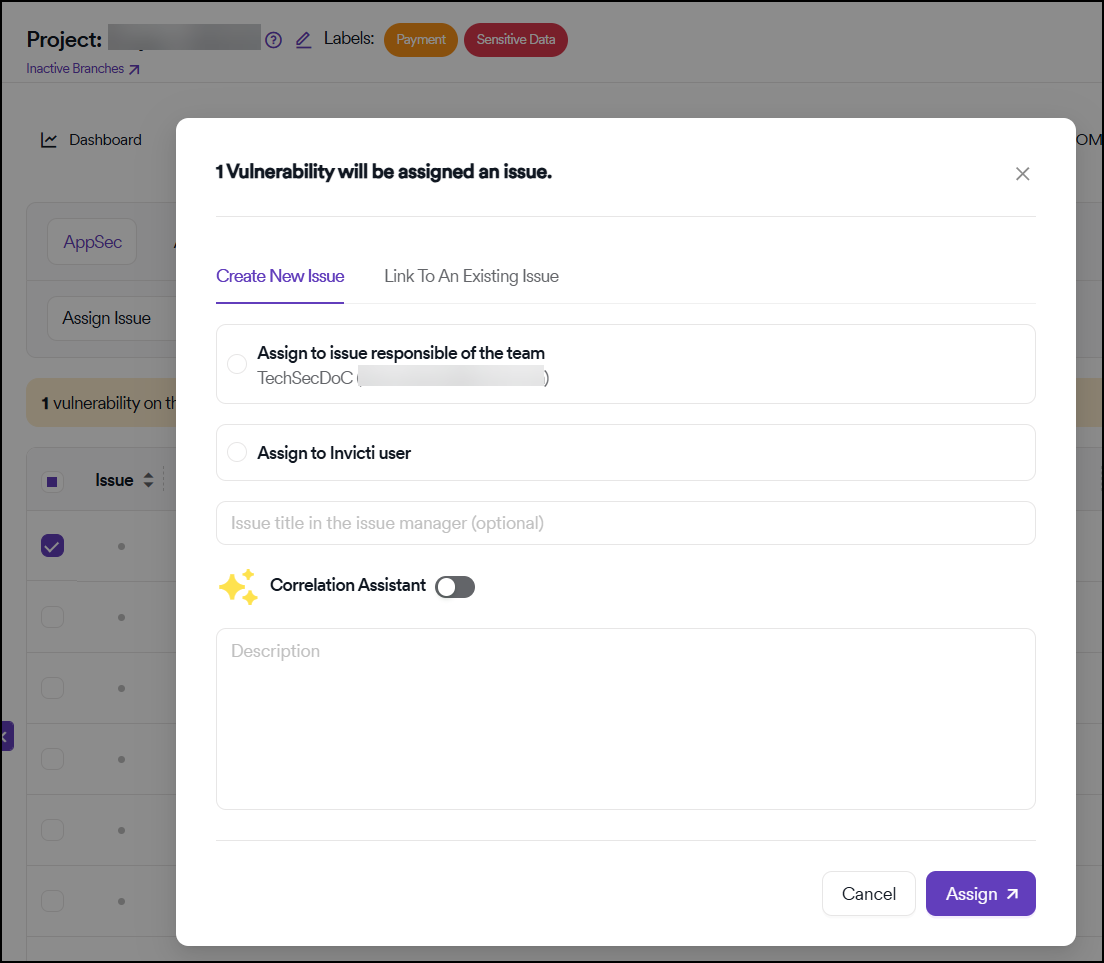
2. Automatic ticket creation based on issue criteria
When Correlation Assistant toggle is turned on in the following section, in each scan Invicti AppSec first checks for vulnerabilities that match the issue criteria.
Then, within that bucket it groups similar vulnerabilities into a single ticket and doesn't take into consideration similar vulnerabilities that fall outside the scope of issue criteria or those that were discovered in previous scans.
There needs to be an applicable issue criteria for correlation assistant to work when creating tickets automatically.
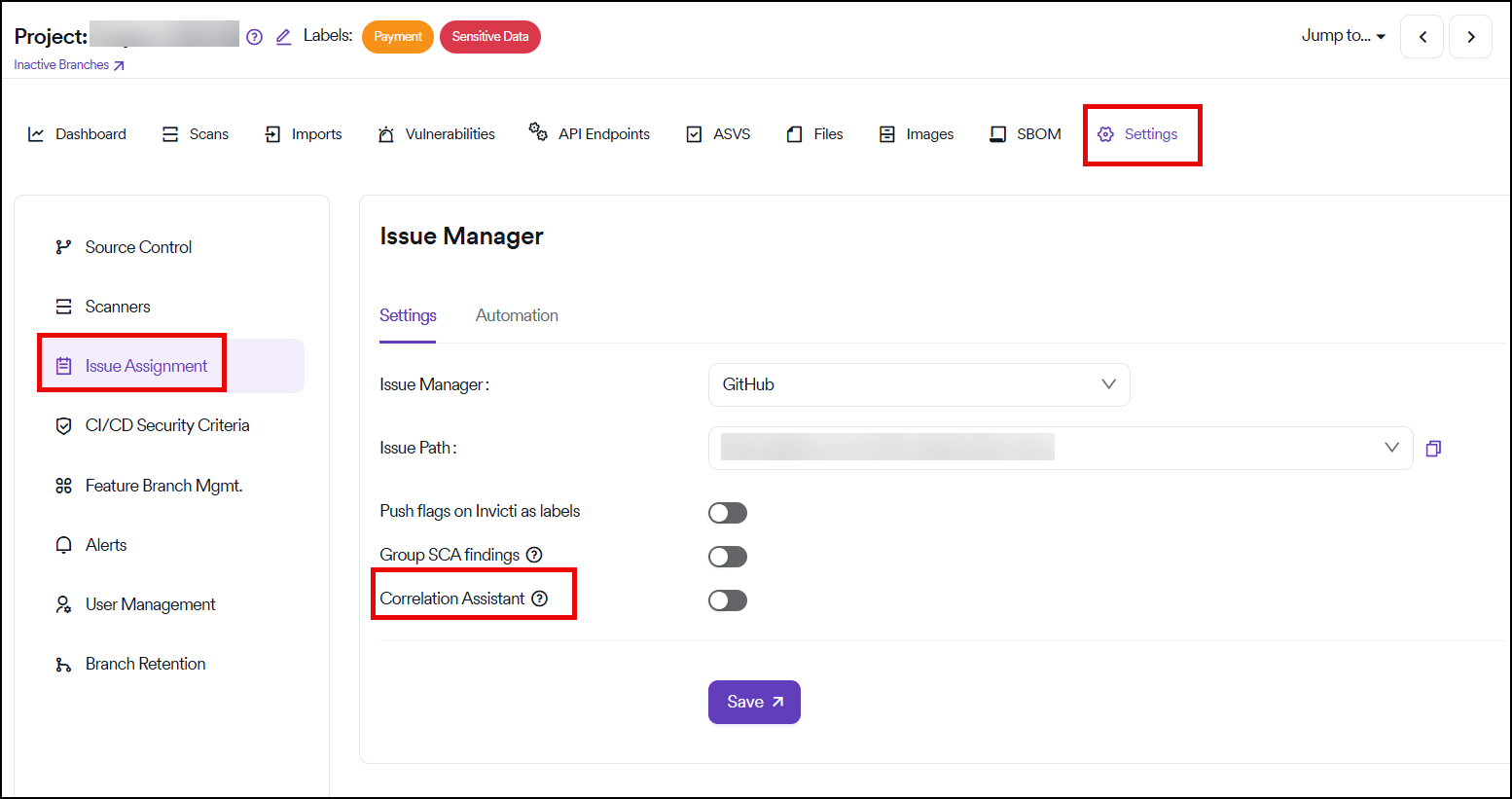
Example workflow
Here's an example of how the correlation assistant works:
- We have an issue criteria where we select "Critical" severity vulnerabilities
- We have a correlation assistant rule where we correlate vulnerabilities with the same "Name" regardless of the scanner
- We run a scan where we have 4 Critical and 1 High severity vulnerabilities, all with the same "Name"
- There's another Critical severity vulnerability in the project with the same "Name" that was discovered in a previous scan
- In this case, Invicti AppSec creates only a single ticket that groups 4 Critical severity vulnerabilities that are discovered in the last scan
Benefits
- Reduced ticket volume: Group similar vulnerabilities to avoid ticket duplication
- Improved efficiency: Manage related vulnerabilities through single tickets
- Flexible correlation: Configure rules across specific scanners or all scanners
- Automated processing: Automatically group vulnerabilities based on defined criteria
- Better organization: Maintain cleaner issue tracking with consolidated tickets
Need help?
Invicti Support team is ready to provide you with technical help. Go to Help Center