Package: Invicti AppSec Enterprise (on-premise, on-demand)
Mend SAST
This document describes how to obtain the user key and organization ID required to integrate Mend SAST into Invicti AppSec or a CI/CD pipeline. These credentials are used for API authentication and platform access.
Prerequisites
The following information is required for the integration:
- Email: Registered email address in the Mend platform
- User key: User-specific API authentication key
- Organization ID: Unique organization identifier (UUID)
- URL: Mend API endpoint (for example, https://api-saas.mend.io/)
Obtain the user key
- Log in to the Mend SAST platform at https://saas.mend.io
- Select the user profile icon in the top-right corner

- Navigate to Profile
- Open the User Keys tab
- Select Generate User Key
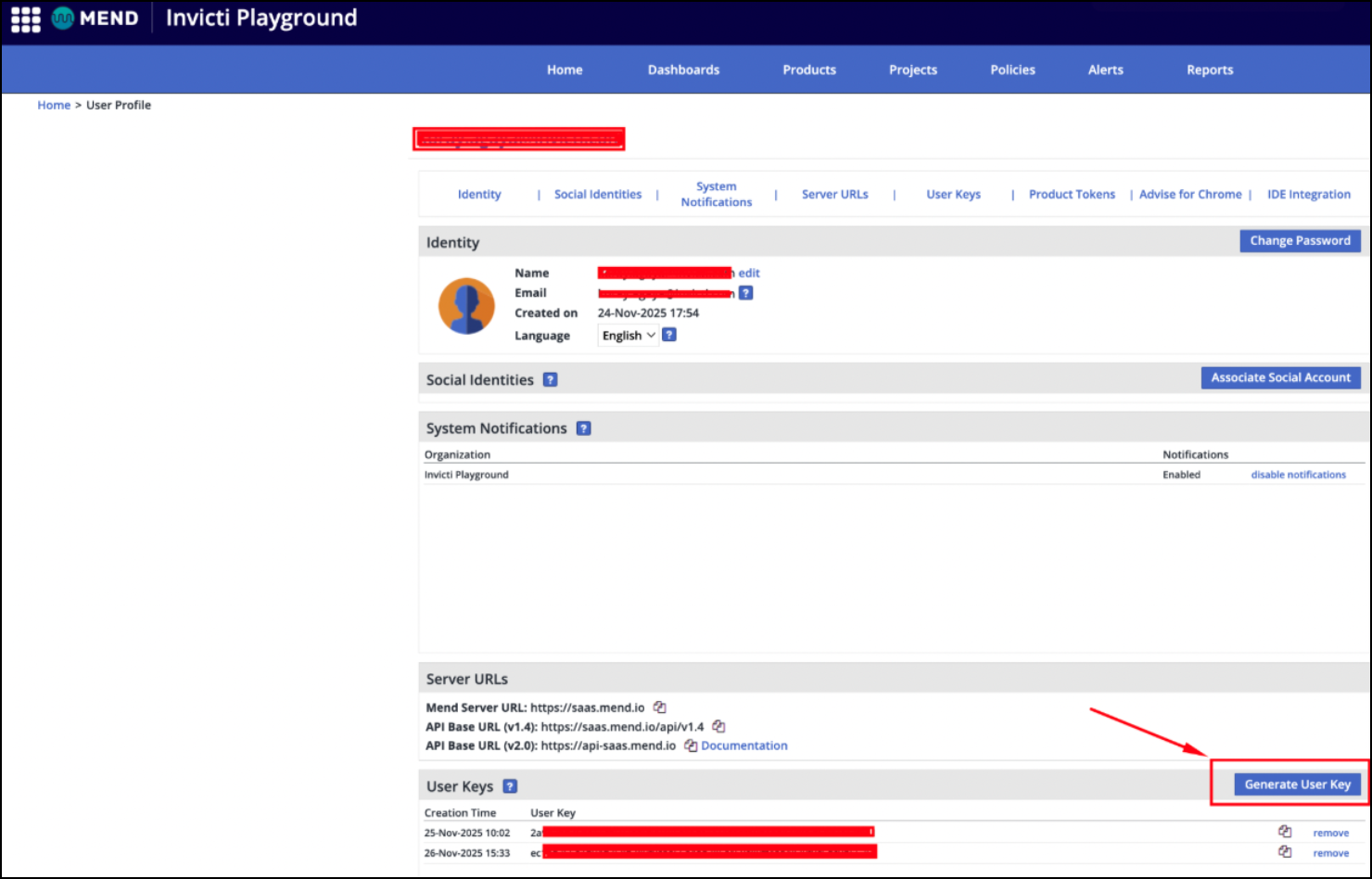
- Copy and securely store the generated key
Multiple user keys can be generated and removed when required.
Obtain the organization ID
The organization ID (UUID) can be obtained using one of the following methods:
New platform interface
- Navigate to the Mend platform
- Select the user profile icon and open My Profile
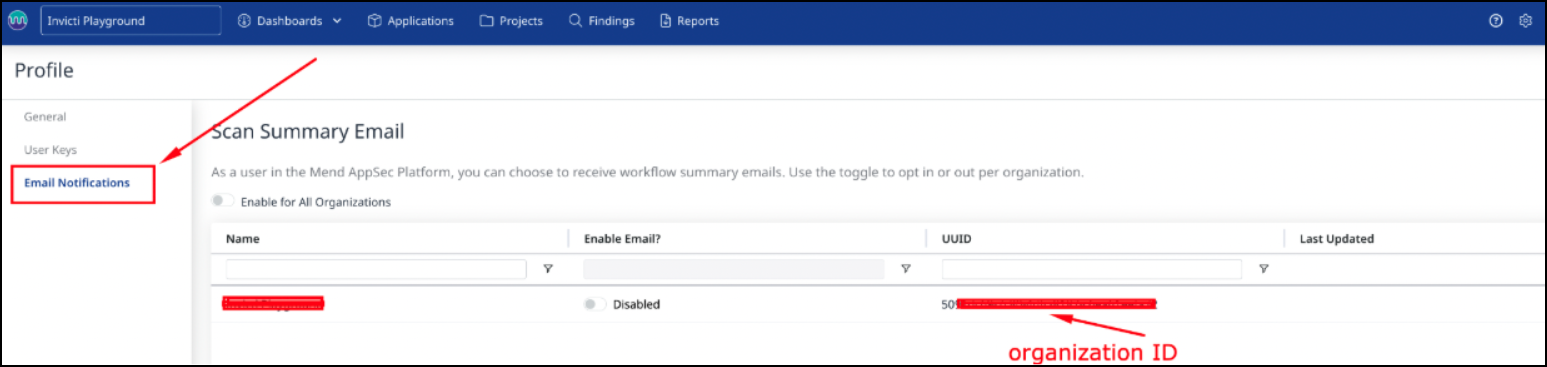
- Open the Email Notifications tab
- Locate the UUID value listed next to the organization name
Classic platform interface
- Navigate to https://saas.mend.io/Wss/WSS.html
- Select the user profile icon and open Profile
- In the System Notifications tab, locate the organization ID displayed under the organization name
Integration configuration
When configuring the Mend SAST integration, provide the following values:
- Email: Registered Mend email address
- User key: Generated user key
- Organization ID: Organization UUID
- URL: Mend API endpoint
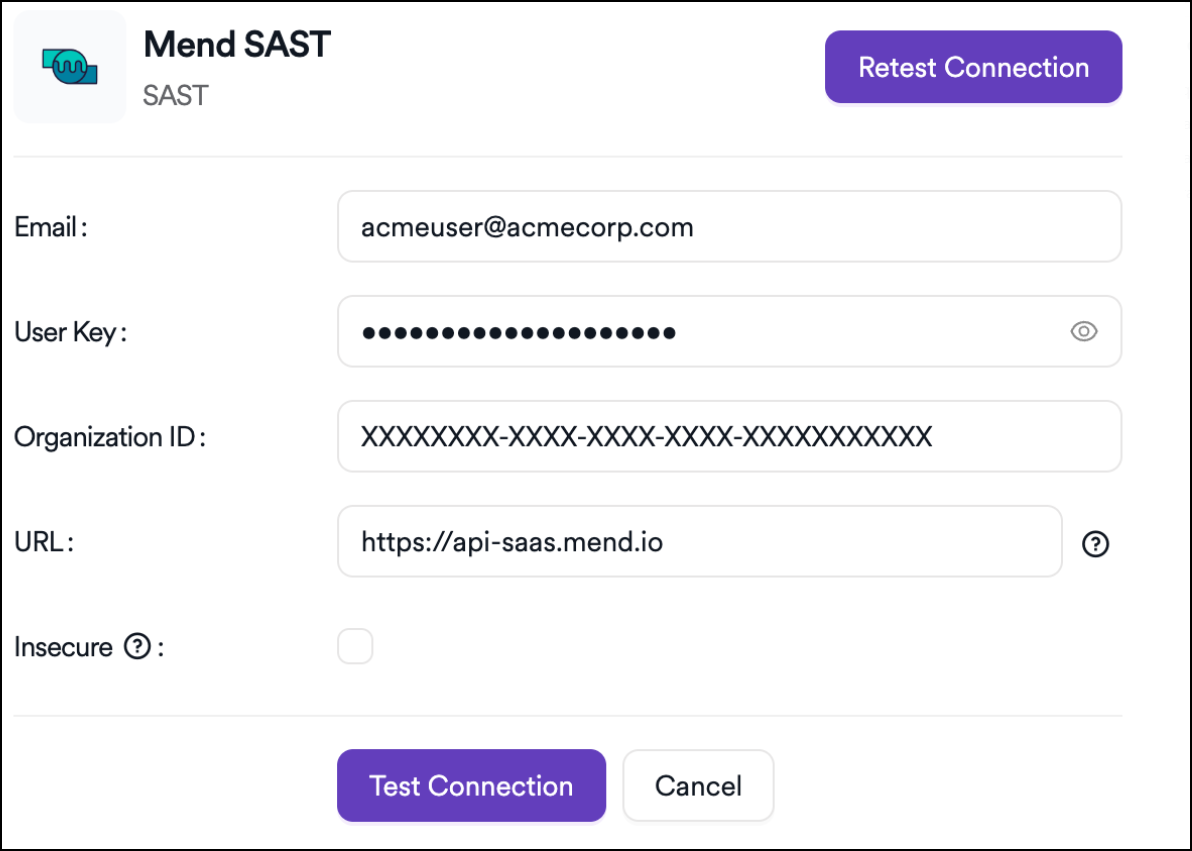
After all fields are completed, select Test Connection to verify the integration. Once the connection is successful, save the configuration.
Need help?
Invicti Support team is ready to provide you with technical help. Go to Help Center