Step 5: Install the IAST bridge
The Invicti Enterprise IAST Bridge is installed using a wizard. For more information about Invicti Shark (IAST), refer to the Deploying Shark (IAST) in Invicti Enterprise on-premises document.
This document explains how to install the IAST Bridge and verify the connection to Invicti Shark (IAST).
Install the Invicti IAST Bridge
- Run the
IASTBridgeSetup.exefile. - On the Welcome to the Invicti IAST Bridge Setup Wizard window, select Next.
- Select Browse if you want to install the IAST Bridge to a different folder than the default folder. Then, select Next.
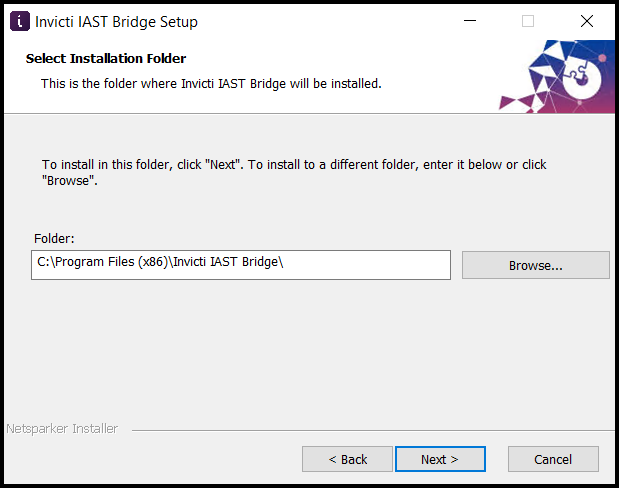
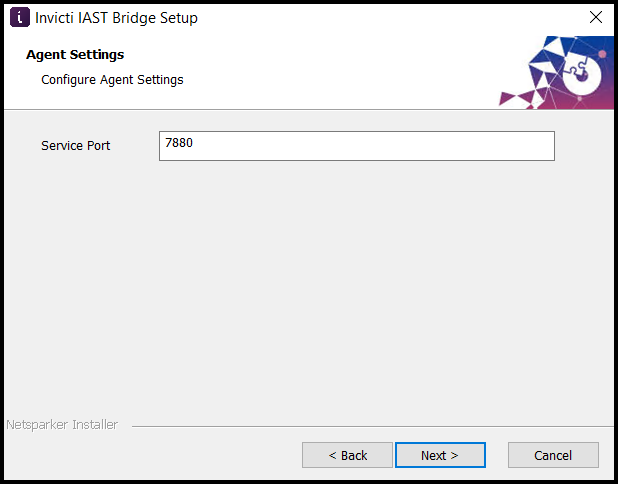
- On the Agent Settings window, enter the Service Port. By default, it's 7880. Then, select Next.
- Select Install to complete the installation.
tip
For information about setting up a custom bridge URL for Invicti Shark (IAST), refer to the Setting a custom bridge service for Invicti Shark (IAST) document.
Secure Invicti Enterprise
Now that your Invicti Enterprise installation is complete, you need to make it secure. For more information, refer to the Security hardening for Invicti Enterprise on-premises document.
Need help?
Invicti Support team is ready to provide you with technical help. Go to Help Center
Was this page useful?