Package: Invicti AppSec Enterprise (on-premise, on-demand)
Mend SCA
This guide explains how to obtain a User Key from Mend SCA platform for Invicti AppSec integration. The User Key serves as an authentication credential required to establish the connection between Invicti AppSec and Mend SCA.
Prerequisites
- Active Mend SCA account with appropriate permissions
- Access to White Source Software Website
Admin or Manager role recommended.
Obtain user key
To obtain a User Key, you need to access the Mend SCA platform and navigate through your user profile settings. Follow these steps:
- Login to Mend SCA platform at White Source Software Website.
- Click on your user profile icon in the top right corner of the screen.
- Select My Profile from the dropdown menu.

Once you're on the Profile page, you'll see several tabs in the left sidebar. The User Keys section is where you can manage all your API authentication keys.
- Locate the left sidebar menu on the Profile page.
- Find and click on the User Keys tab.
- The User Keys page will display all your existing keys and creation options.

Creating a new User Key is straightforward. Each key can be labeled with a description to help you identify its purpose.
- On the User Keys page, click the Create User Key button located in the top right corner.
- Enter a meaningful description for the key (e.g., 'Invicti AppSec Integration').
- Click Confirm to generate the key.
- Copy and securely store the generated User Key immediately.
The User Key will be displayed only once. If you lose it, you must create a new key and update all integrations. Store it in a secure password manager or key vault immediately.
Configure in Invicti AppSec
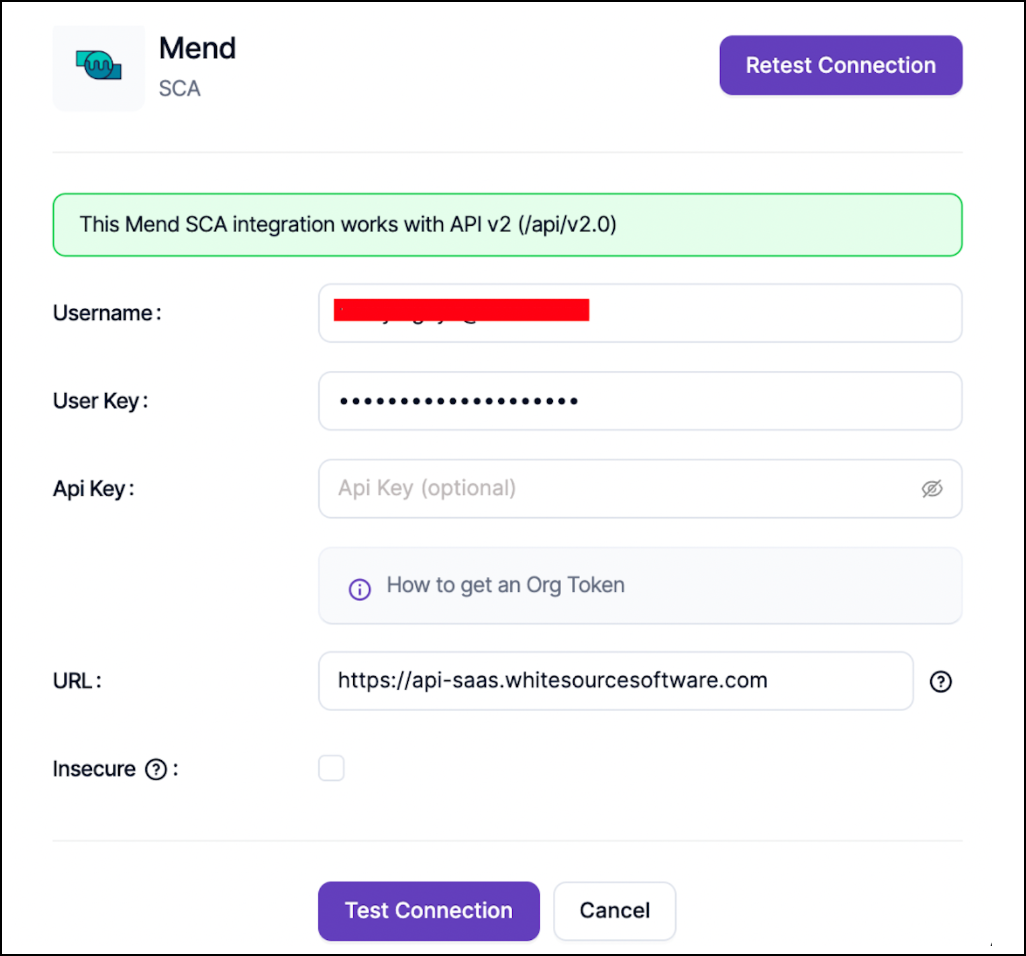
After generating your User Key, you can configure the Mend SCA integration in Invicti AppSec using the following parameters:
| Field | Value | Required |
|---|---|---|
| Username | Mend Account Email Address | Yes |
| User Key | The User Key you just generated | Yes |
| URL | https://api-saas.whitesourcesoftware.com | Yes |
| API Key | Organization token (if available) | Optional |
Configuration steps
- Navigate to the Integrations page in Invicti AppSec.
- Select Mend SCA from the available integrations.
- Enter the required parameters from the table above.
- Click Test Connection to verify the credentials.
- Save the integration once the test is successful.
Need help?
Invicti Support team is ready to provide you with technical help. Go to Help Center