Package: Invicti AppSec Enterprise (on-premise, on-demand)
OWASP Dependency-Check SCA
Invicti AppSec supports OWASP Dependency-Check as an SCA (Software Composition Analysis) scanner. This guide explains how to activate and use the OWASP Dependency-Check integration.
OWASP Dependency-Check is an open-source SCA tool that identifies known vulnerabilities in project dependencies. It checks project libraries against the National Vulnerability Database (NVD) and other vulnerability feeds to detect components with known security issues.
Prerequisites
Before starting the integration, ensure you have the following:
| Requirement | Description |
|---|---|
| Docker | Docker installed and running in your CI/CD environment |
| Dependency-Check Docker image | The official OWASP Dependency-Check Docker image |
| KDT CLI or UI access | Access to the Kondukto CLI tool (KDT) or the Invicti AppSec web interface for importing results |
| NVD API Key (optional) | An NVD API key for faster vulnerability database updates |
OWASP Dependency-Check runs inside a Docker container and does not use a traditional Test Connection flow. Instead, configuration is done through the Docker activation dialog.
Step 1: Navigate to Integrations
From the left sidebar menu, click on Integrations.
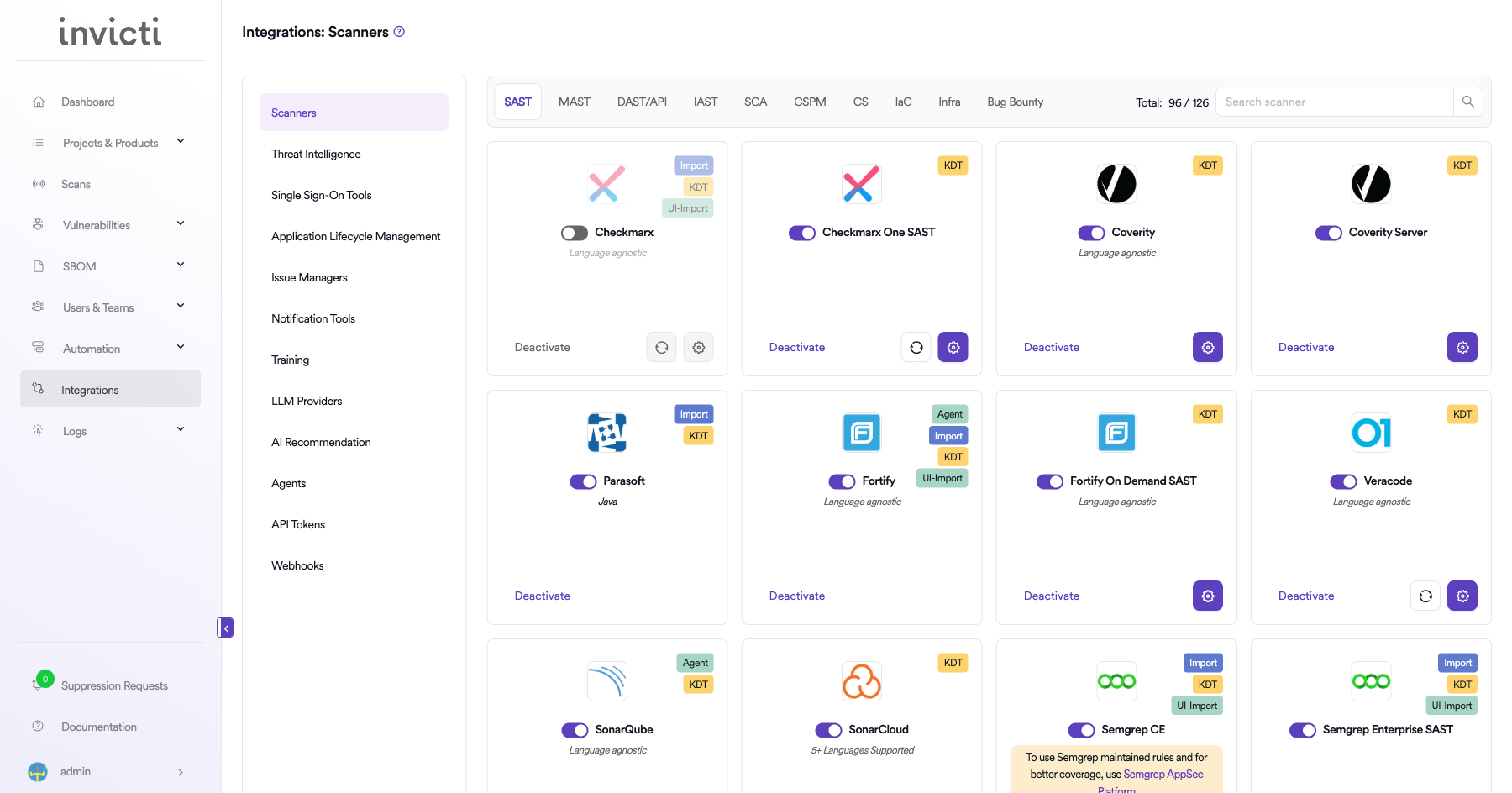
Step 2: Select the SCA Tab
On the Integrations page, you will see the Scanners section with multiple tabs. Click on the SCA tab.
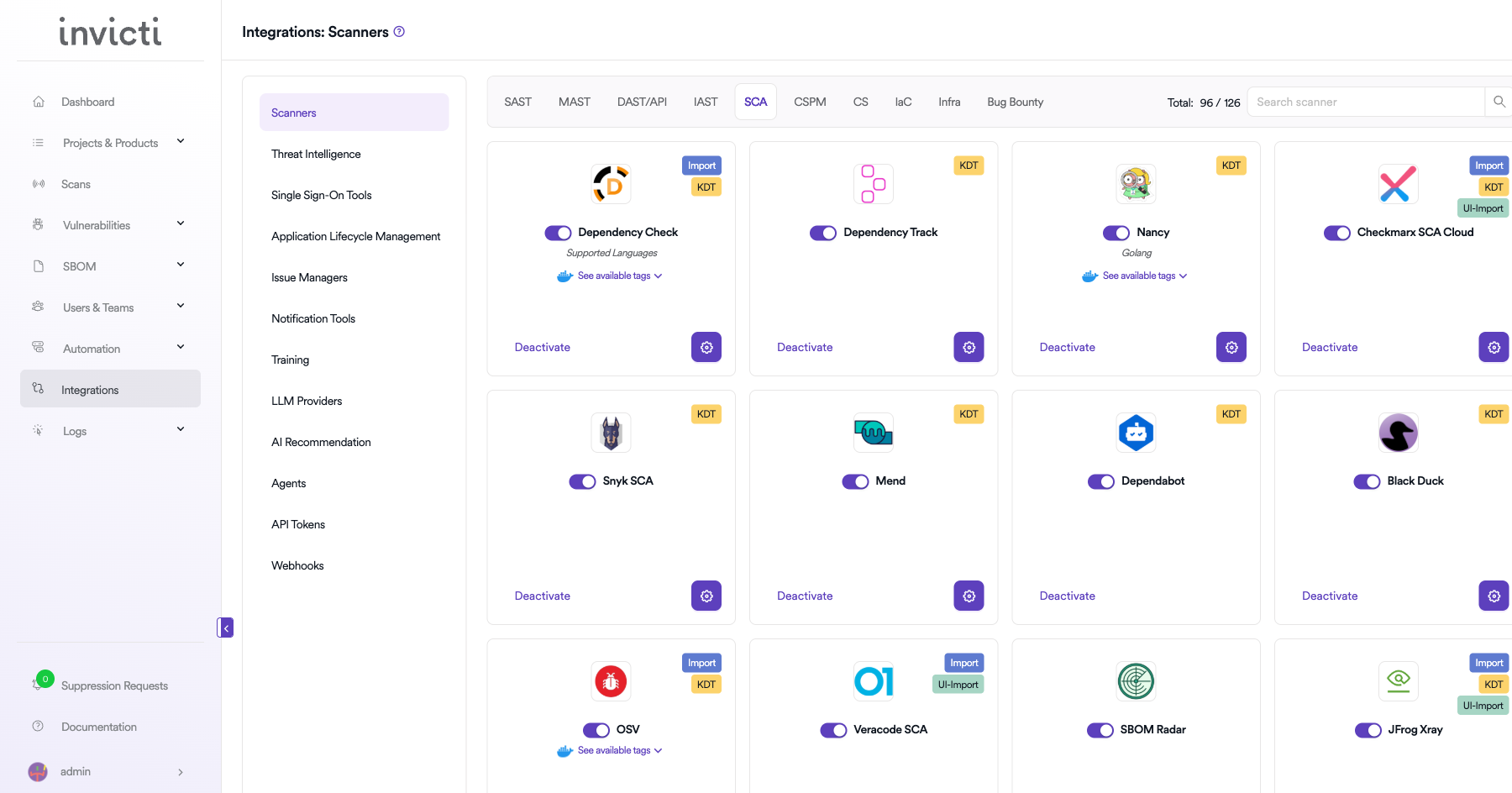
Step 3: Find and Activate OWASP Dependency-Check
Scroll through the list of SCA scanners to find OWASP Dependency-Check.
- If OWASP Dependency-Check is not activated, you will see an "Activate" button. Click it to enable the integration. An activation dialog will appear where you can configure the Docker settings.
- If OWASP Dependency-Check is already activated, you will see a toggle switch in the ON position and a "Deactivate" button, along with a gear icon for configuration.
The scan method badges on the OWASP Dependency-Check card show Import and KDT, which means results can be imported through the Kondukto CLI tool (KDT) or the API.
Step 4: Configure Docker Settings
Click on the gear icon on the OWASP Dependency-Check card to open the configuration panel. Fill in the following fields:
| Field | Description | Required |
|---|---|---|
| Scanner Image | The Docker image to use for OWASP Dependency-Check scans | Yes |
| Use Cache | Enable caching to speed up subsequent scans by reusing downloaded vulnerability data | No |
| Docker Images | Additional Docker image versions available for scanning | No |
| OSS Auth - Username | Username for authenticating with private package registries | No |
| OSS Auth - Password | Password for authenticating with private package registries | No |
| NVD Auth Token | API token for the National Vulnerability Database (NVD) to improve download speeds | No |
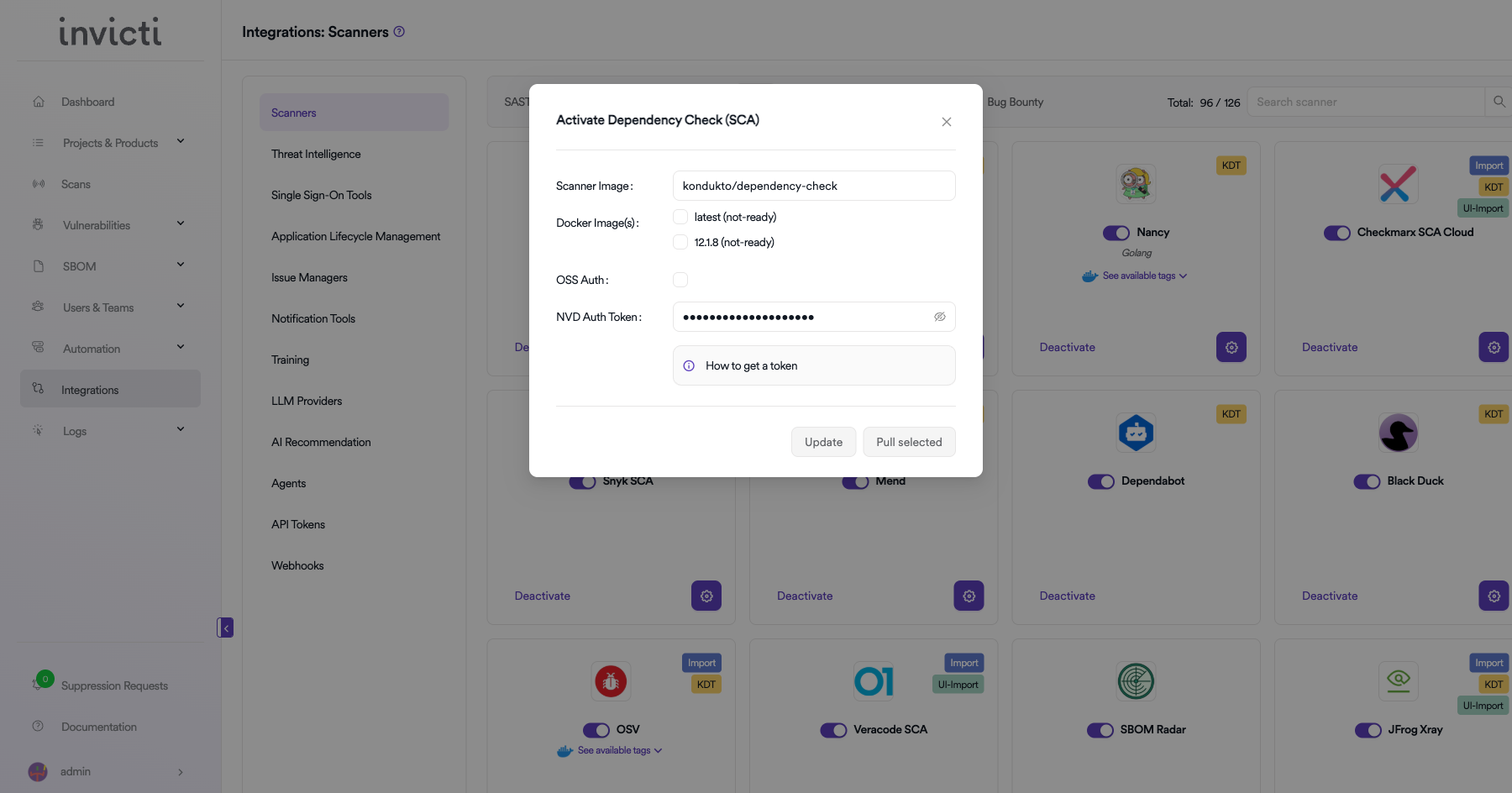
NVD Auth Token
The NVD Auth Token allows faster downloads of the NVD vulnerability feed. Without an API key, NVD rate-limits requests which can significantly slow down scans.
How to get an NVD API Key:
- Visit the NVD API Key Request page.
- Fill in the required information and submit the request.
- You will receive an API key via email.
- Paste the key into the NVD Auth Token field.
Step 5: Import Scan Results
After configuring the Docker settings, import scan results using one of the following methods:
Method 1: Import via KDT CLI
Use the Kondukto CLI tool to import OWASP Dependency-Check scan results:
kdt scan -p <project-name> -t dependencycheck -b <branch> -f <path-to-report.xml>
Method 2: Import via API
Use the Invicti AppSec API to programmatically import scan results as part of your CI/CD pipeline.
Step 6: Verify Import
After importing, verify that the scan results appear correctly:
- Check the Scans page for the newly imported scan.
- Review the Vulnerabilities tab to confirm findings were imported successfully.
- Verify severity levels and vulnerability details are accurate.
CI/CD Pipeline Example
Here is an example of integrating OWASP Dependency-Check with the KDT CLI in a CI/CD pipeline:
# Example: GitLab CI/CD
dependency_check_scan:
  stage: security
  image: docker:latest
  services:
    - docker:dind
  script:
    - docker run --rm
        -v $(pwd):/src
        -v $(pwd)/reports:/report
        owasp/dependency-check:latest
        --scan /src
        --format XML
        --out /report/dependency-check-report.xml
    - kdt scan -p my-project -t dependencycheck -b $CI_COMMIT_BRANCH -f reports/dependency-check-report.xml
Summary
| Step | Action |
|---|---|
| 1 | Navigate to Integrations from the sidebar |
| 2 | Select the SCA tab under Scanners |
| 3 | Find OWASP Dependency-Check and click Activate (if not already active) |
| 4 | Configure Scanner Image, Use Cache, Docker Images, OSS Auth, and NVD Auth Token |
| 5 | Run Dependency-Check in Docker and import results via KDT CLI or API |
| 6 | Verify imported results in the project's Scans and Vulnerabilities sections |
Need help?
Invicti Support team is ready to provide you with technical help. Go to Help Center