Package: Invicti AppSec Core (on-demand), Invicti AppSec Enterprise (on-premise, on-demand)
Acunetix Premium DAST/API Integration
Acunetix Premium is a comprehensive web application security scanner that detects a wide range of vulnerabilities including SQL injection, XSS, and OWASP Top 10 issues. This integration enables Invicti AppSec to trigger Acunetix scans and import vulnerability findings automatically.
Prerequisites
| Field | Description |
|---|---|
| Acunetix Premium URL | The URL of your Acunetix Premium instance (e.g., https://acunetix.your-company.com) |
| API Key | An API key generated from your Acunetix Premium account |
Get an API Key (on Acunetix Premium Side)
- Log in to your Acunetix Premium web interface.
- Click your profile icon in the upper right corner.
- Select Profile from the dropdown menu.
- Scroll down to the API Key section.
- Copy the existing API key or click Generate to create a new one.
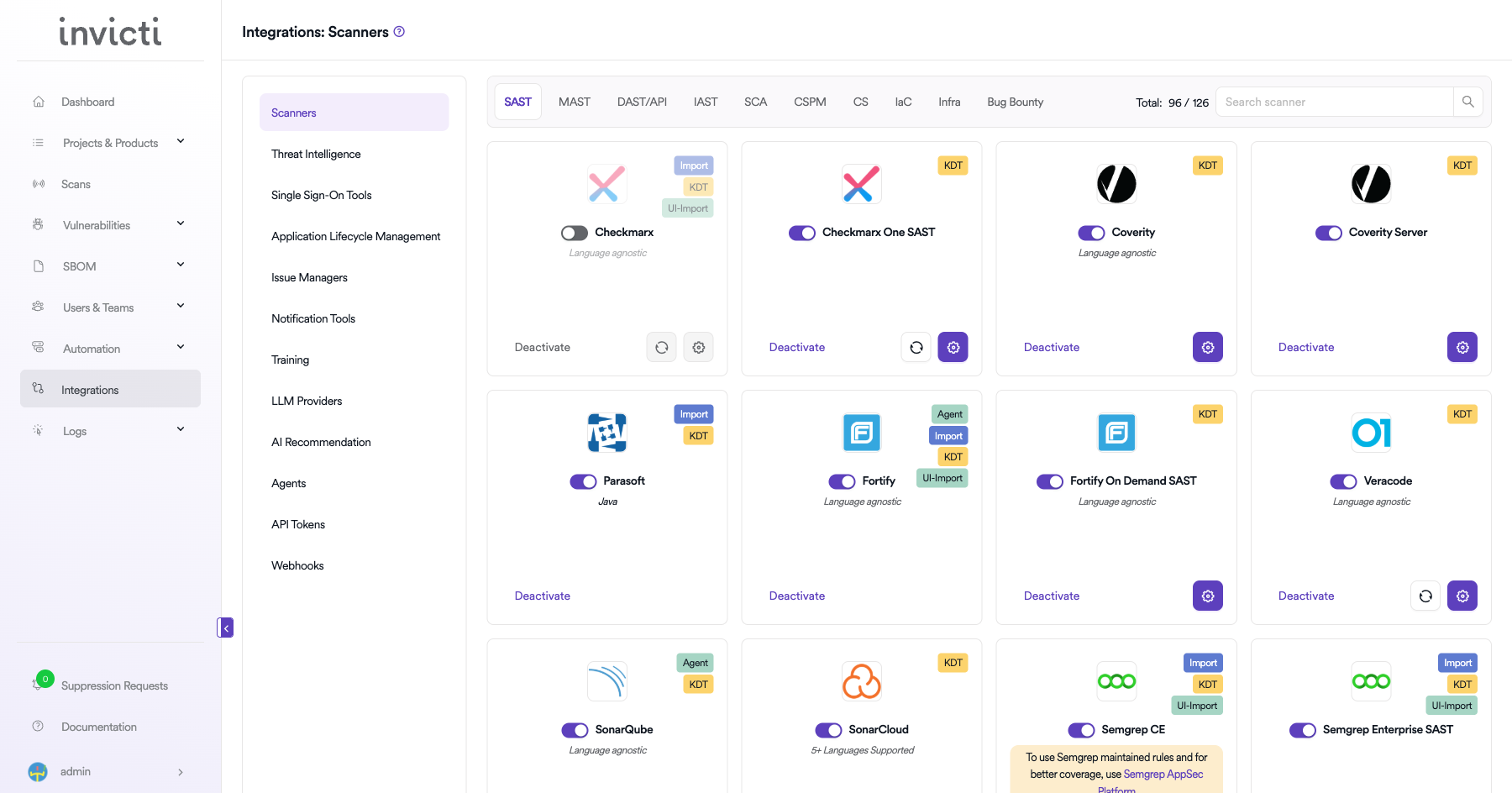
Step 1: Navigate to Integrations
From the left sidebar menu, click on Integrations.
Step 2: Select the DAST/API Tab
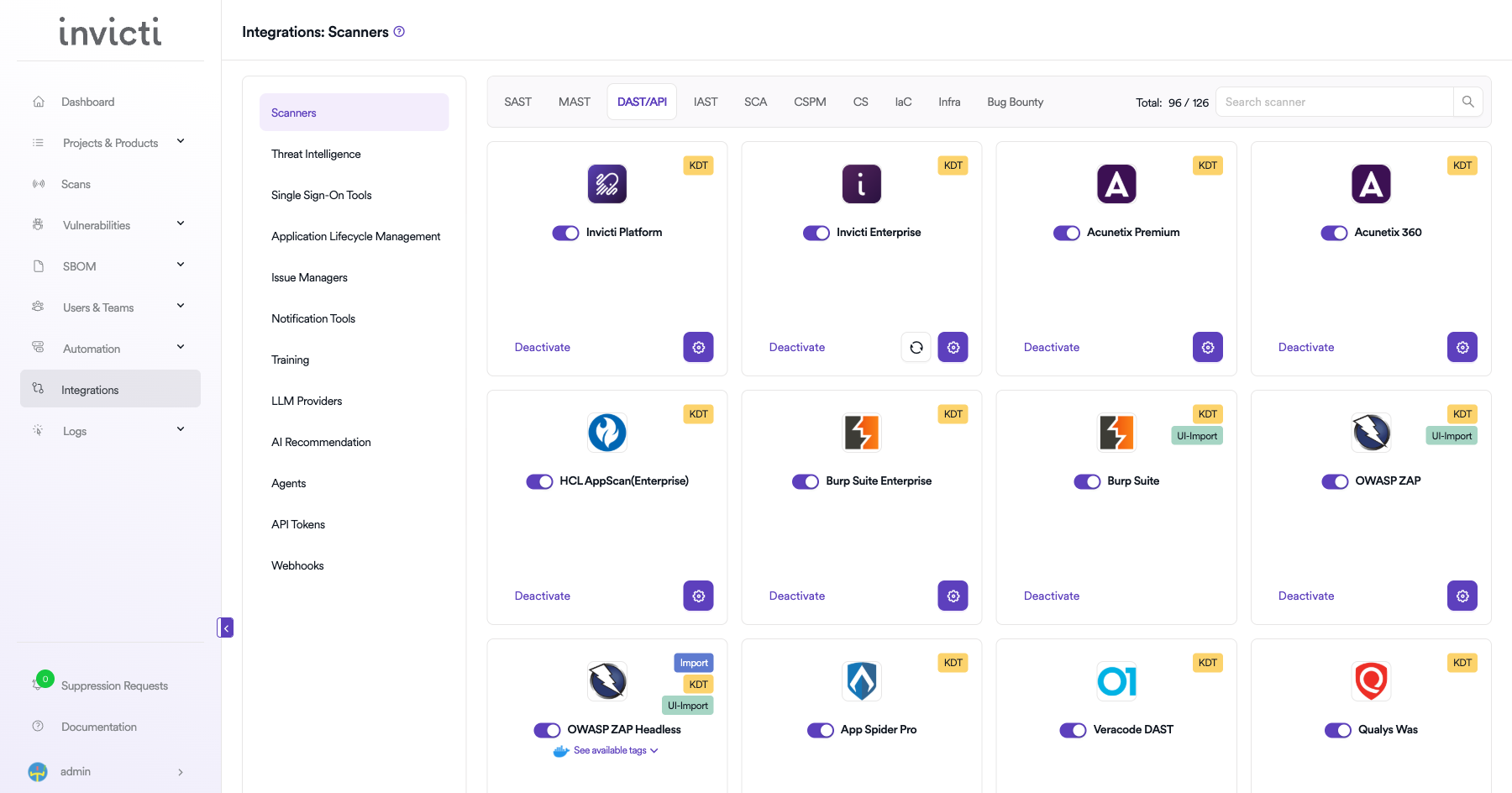
On the Integrations > Scanners page, click on the DAST/API tab.
Step 3: Find and Activate Acunetix Premium
Scroll through the list of DAST/API scanners to find Acunetix Premium.
- If Acunetix Premium is not activated, you will see an "Activate" button. Click it to enable the integration.
The scan method badge on the Acunetix Premium card shows KDT, which means scans are triggered through the Kondukto CLI tool (KDT).
Step 4: Configure Connection Settings
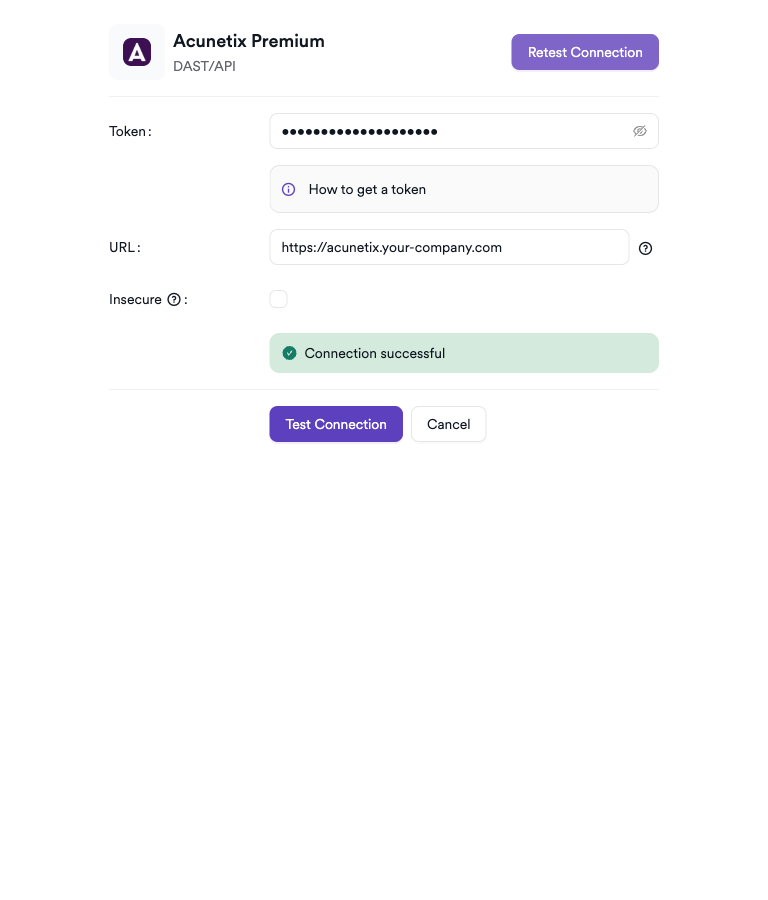
Click on the gear icon on the Acunetix Premium card to open the configuration panel. Fill in the required fields:
- Token: Paste the API token from your Acunetix Premium profile.
- URL: Enter the URL of your Acunetix Premium instance (e.g.,
https://acunetix.your-company.com). - Insecure: Enable this checkbox only if your Acunetix Premium instance uses a self-signed SSL certificate.
Step 5: Test the Connection
Click Test Connection. A green Connection successful message confirms the integration is working.
Summary
| Step | Action |
|---|---|
| 1 | Navigate to Integrations from the sidebar |
| 2 | Select the DAST/API tab |
| 3 | Activate Acunetix Premium |
| 4 | Enter URL and API Key |
| 5 | Test the connection |
Create a Scan
Navigate to Project Scanners
- Open a project in Invicti AppSec.
- Go to Settings > Scanners.
- Click Add Scanner.
Add Acunetix Premium Scanner
- Select DAST/API as the scanner type.
- Choose Acunetix Premium from the scanner list.
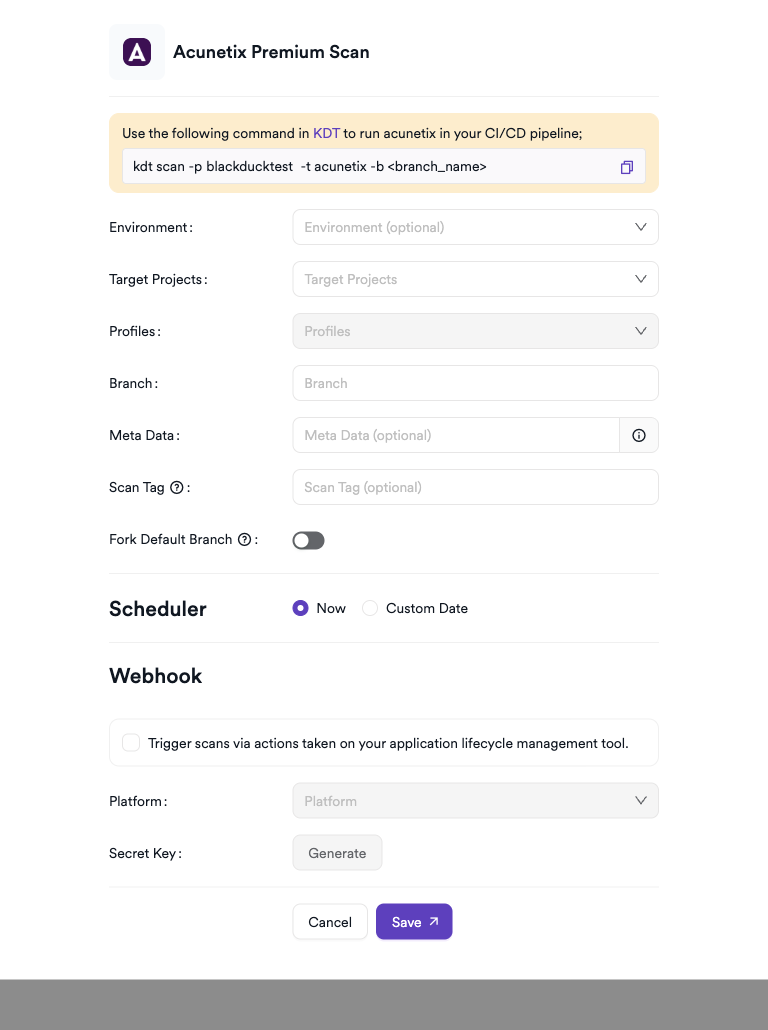
- Click Add to open the scan configuration drawer.
Scan Configuration Fields
| Field | Description | Required |
|---|---|---|
| Environment | Select the environment for the scan | No |
| Target Projects | Bind to an existing Acunetix project | Yes |
| Profiles | Scan profile to use (e.g., Full Scan, High Risk Vulnerabilities) | Yes |
| Branch | Source code branch associated with this scan | No |
| Meta Data | Additional metadata for the scan | No |
| Scan Tag | Tag to identify the scan | No |
Scheduler
Enable the Scheduler toggle to run scans on a recurring schedule.
Webhook (Optional)
Add a webhook URL to receive scan completion notifications.
KDT Command
kdt scan -p <project_name> -t acunetix -b <branch_name>
Troubleshooting
Connection Fails
| Issue | Resolution |
|---|---|
| Invalid API key | Verify the API key in your Acunetix profile and update the settings |
| Wrong URL | Ensure the URL is correct and includes https:// |
| SSL errors | Verify the Acunetix instance uses a valid SSL certificate |
| Network/firewall | Ensure port 3443 (Acunetix default) is open from Invicti AppSec |
Scan Issues
| Issue | Resolution |
|---|---|
| Target not found | Ensure the target URL is already configured in Acunetix or create a new target |
| Scan not starting | Check Acunetix scan engine status and available scan slots |
| Empty results | Confirm the scan completed and results are available in the Acunetix dashboard |
| Permission issues | The API key must belong to an account with scan creation rights |
Best Practices
- Use a dedicated service account API key for the integration.
- Ensure target URLs are pre-configured in Acunetix before triggering scans from Invicti AppSec.
- Rotate the API key periodically and update the integration immediately after rotation.
- Use incremental scans for frequently updated applications to reduce scan duration.
- Schedule scans during off-peak hours to minimize impact on production environments.
Limitations
- Acunetix Premium requires targets to be pre-registered in the Acunetix interface before Invicti AppSec can trigger scans.
- Concurrent scan limits are defined by your Acunetix Premium license.
- API rate limits may affect bulk scan triggering.
- Only completed scan results are imported; partial or in-progress data is not retrieved.
Need help?
Invicti Support team is ready to provide you with technical help. Go to Help Center