Package: Invicti AppSec Core (on-demand), Invicti AppSec Enterprise (on-premise, on-demand)
Salt Security DAST/API Integration
Salt Security is an API security platform that uses AI to detect and prevent API attacks by analyzing API traffic patterns and behavior. This integration allows Invicti AppSec to connect to Salt Security and import API vulnerability findings.
Prerequisites
| Field | Description |
|---|---|
| Salt Security URL | The URL of your Salt Security tenant (e.g., https://app.salt.security) |
| Access Token | An API access token from your Salt Security account |
Get an Access Token (on Salt Security Side)
- Log in to your Salt Security tenant dashboard.
- Navigate to Settings in the left sidebar.
- Select API Access or Integrations.
- Click Generate Token or Create API Key.
- Copy the access token — it may be shown only once.
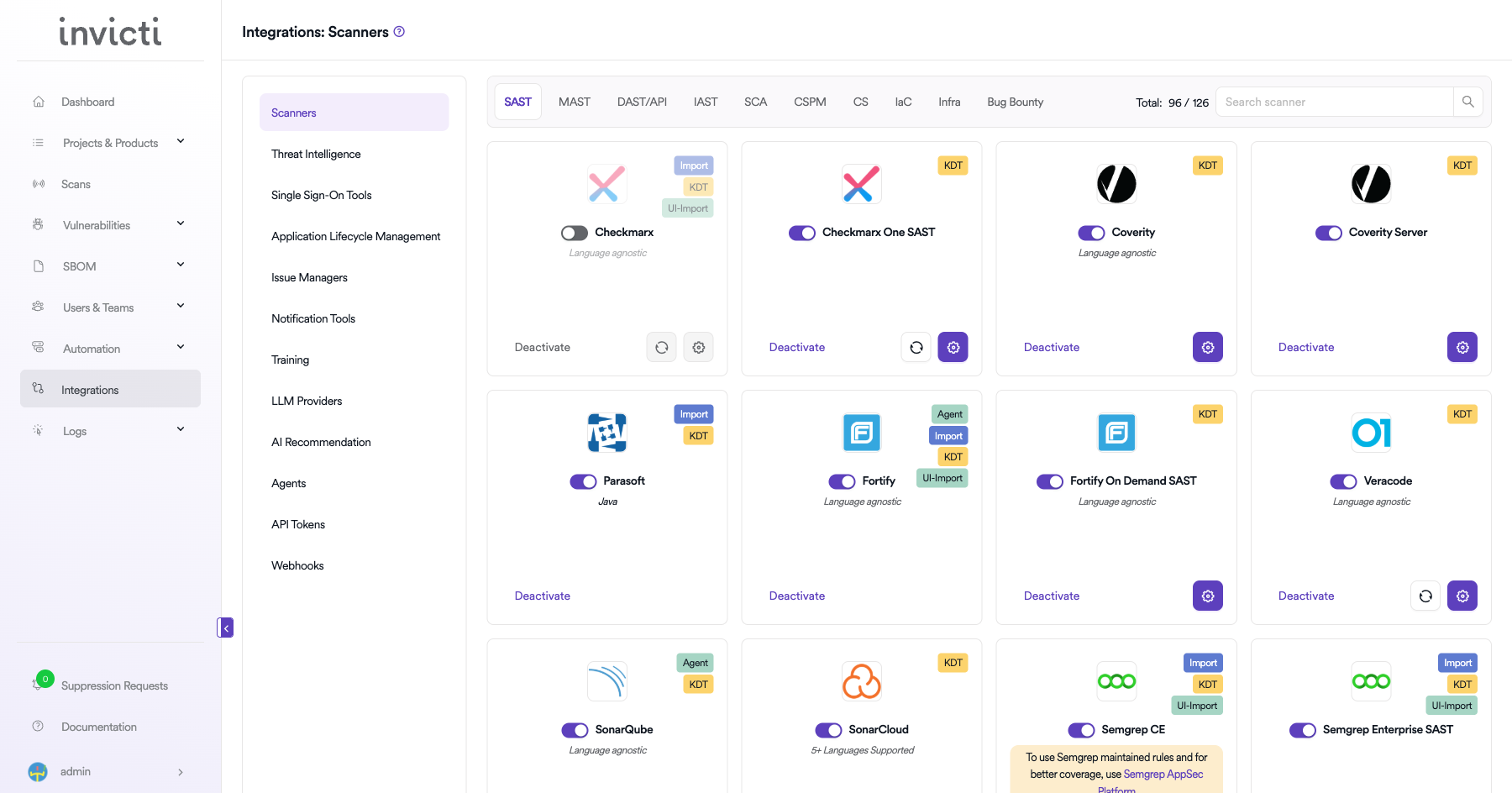
Step 1: Navigate to Integrations
From the left sidebar menu, click on Integrations.
Step 2: Select the DAST/API Tab
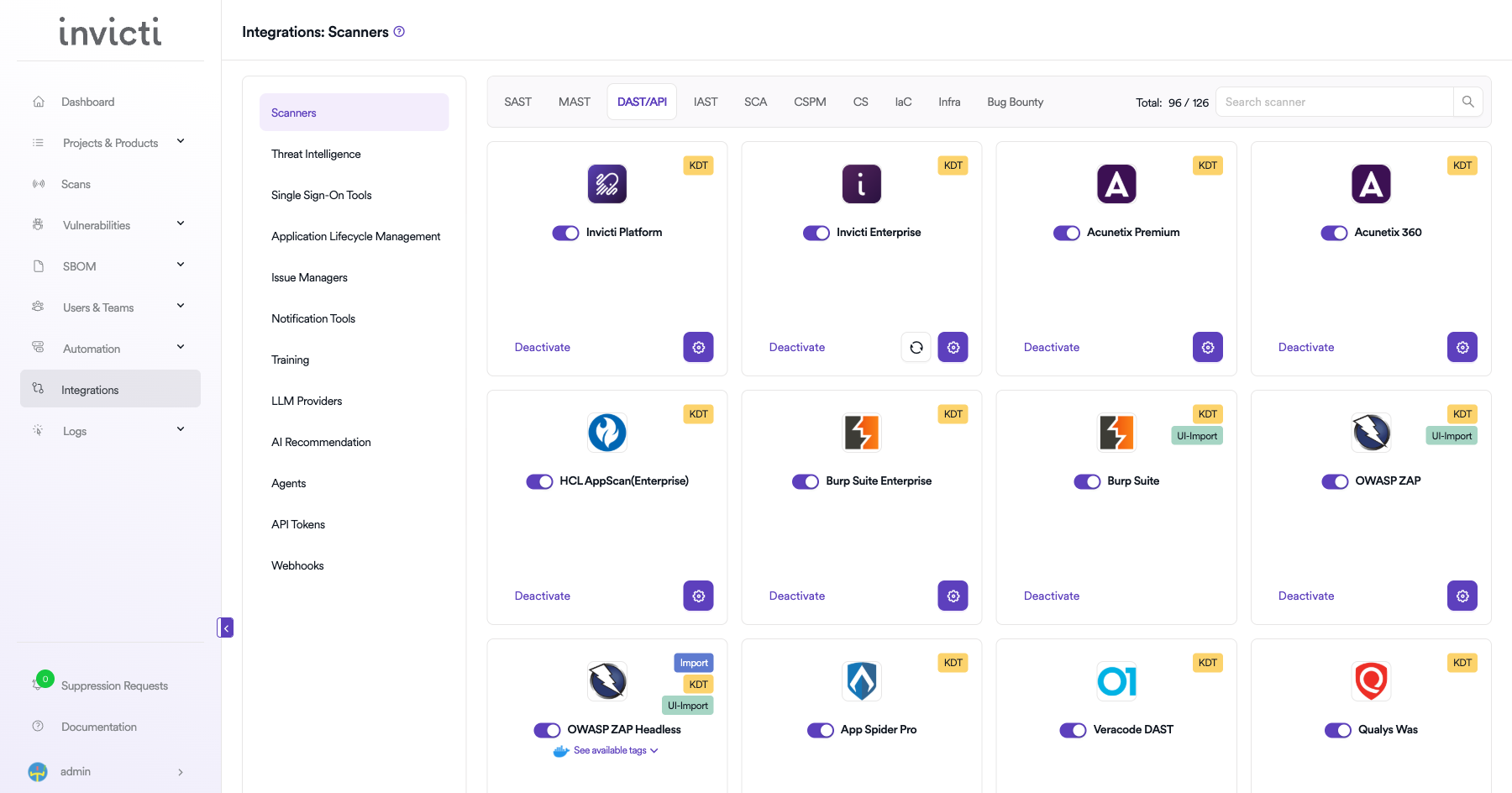
On the Integrations > Scanners page, click on the DAST/API tab.
Step 3: Find and Activate Salt Security
Scroll through the list of DAST/API scanners to find Salt Security.
- If Salt Security is not activated, you will see an "Activate" button. Click it to enable the integration.
The scan method badge on the Salt Security card shows KDT, which means scans are triggered through the Kondukto CLI tool (KDT).
Step 4: Configure Connection Settings
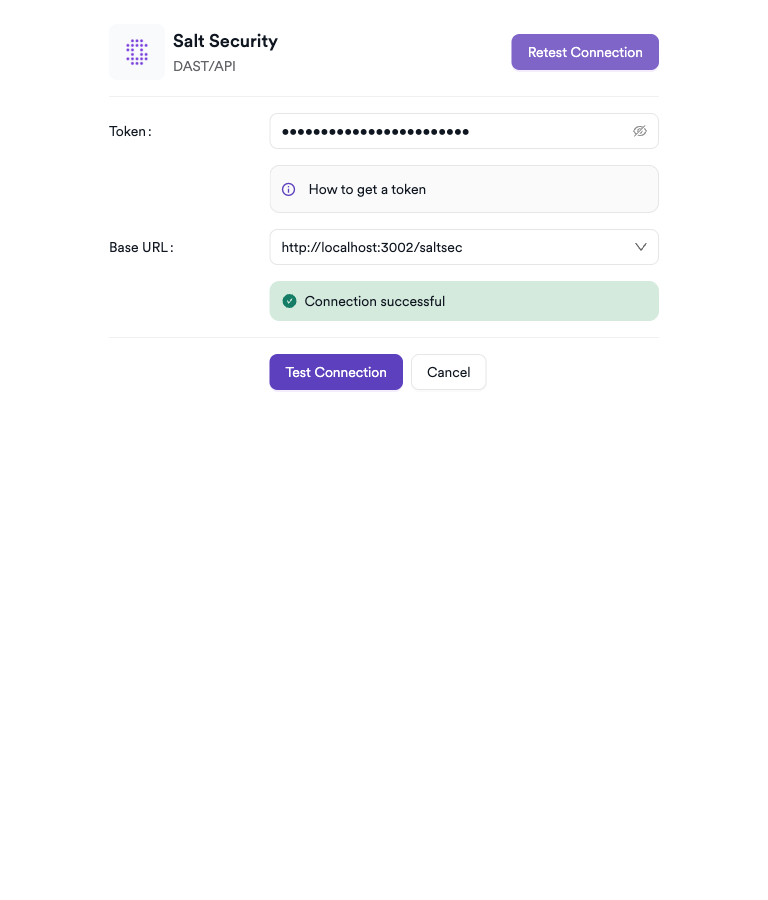
Click on the gear icon on the Salt Security card to open the configuration panel. Fill in the required fields:
- Token: Paste the access token from your Salt Security account.
- Base URL: Select your Salt Security API endpoint (
https://api.secured-api.comfor US orhttps://api.secured-api-eu.comfor EU).
Step 5: Test the Connection
Click Test Connection. A green Connection successful message confirms the token and URL are valid.
Summary
| Step | Action |
|---|---|
| 1 | Navigate to Integrations from the sidebar |
| 2 | Select the DAST/API tab |
| 3 | Activate Salt Security |
| 4 | Enter URL and Access Token |
| 5 | Test the connection |
Create a Scan
Navigate to Project Scanners
- Open a project in Invicti AppSec.
- Go to Settings > Scanners.
- Click Add Scanner.
Add Salt Security Scanner
- Select DAST/API as the scanner type.
- Choose Salt Security from the scanner list.
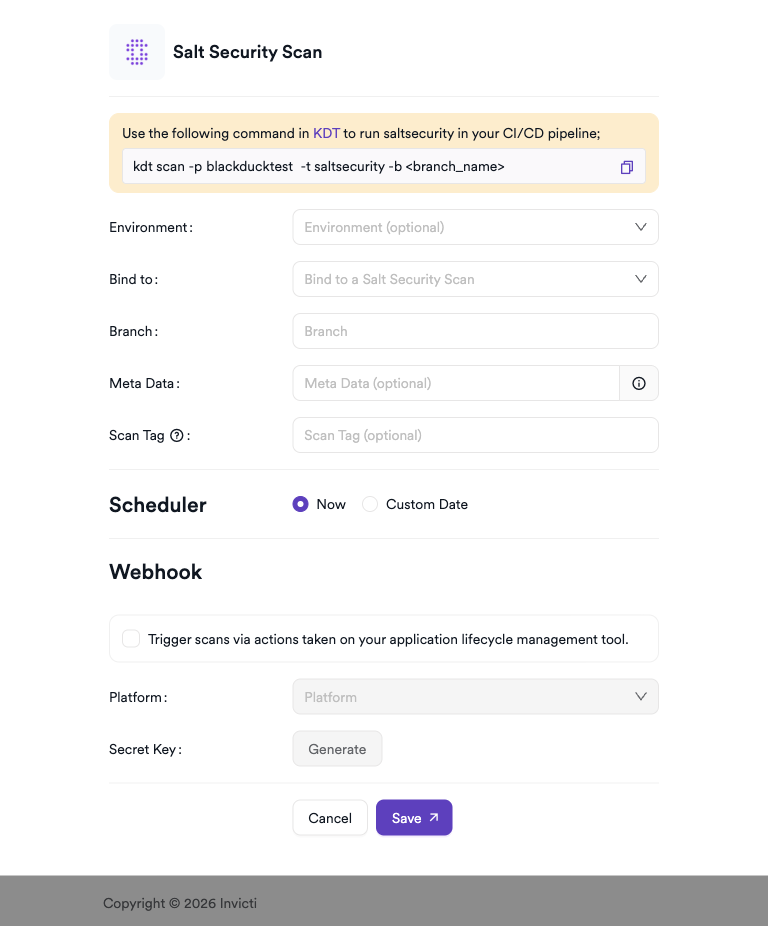
- Click Add to open the scan configuration drawer.
Scan Configuration Fields
| Field | Description | Required |
|---|---|---|
| Environment | Select the environment for the scan | No |
| Bind To | Salt Security API project to bind to | Yes |
| Branch | Source code branch associated with this scan | No |
| Meta Data | Additional metadata for the scan | No |
| Scan Tag | Tag to identify the scan | No |
Scheduler
Enable the Scheduler toggle to regularly sync findings from Salt Security.
Webhook (Optional)
Add a webhook URL to receive notifications when new findings are available.
KDT Command
kdt scan -p <project_name> -t saltsecurity -b <branch_name>
Troubleshooting
Connection Fails
| Issue | Resolution |
|---|---|
| Invalid access token | Regenerate the token from Salt Security settings and update the integration |
| Wrong tenant URL | Verify the exact URL of your Salt Security tenant |
| Token expired | Generate a new access token and update the integration |
| Network access | Ensure Invicti AppSec can reach the Salt Security tenant URL on port 443 |
Scan Issues
| Issue | Resolution |
|---|---|
| No APIs listed | Verify the service account has access to the target API assets in Salt Security |
| No findings imported | Ensure Salt Security has detected and analyzed API traffic for the target APIs |
| Empty results | Salt Security requires live API traffic to generate findings; static applications may yield no results |
| Permission denied | The access token must have at minimum read permissions for API findings |
Best Practices
- Use a service account with read-only access to Salt Security API findings for the integration.
- Rotate the access token periodically and update the integration.
- Ensure Salt Security is actively monitoring API traffic before expecting findings in Invicti AppSec.
- Review Salt Security's API catalog regularly to keep tracked APIs up to date.
- Use severity-based filters in Invicti AppSec to prioritize high-risk API vulnerabilities from Salt Security.
Limitations
- Salt Security is a passive API traffic analysis platform; findings are based on observed traffic patterns, not active scanning.
- Applications must have Salt Security sensors deployed and actively routing traffic for findings to be generated.
- The number of monitored APIs depends on your Salt Security license.
- Real-time finding sync frequency depends on Salt Security's detection pipeline and your Invicti AppSec polling schedule.
Need help?
Invicti Support team is ready to provide you with technical help. Go to Help Center