Integrating Invicti Standard with Unfuddle
Unfuddle is a full-stack software project management tool that brings together bug and issue tracking, along with other hosting and collaboration tools.
This document explains how to configure Invicti Standard to send a detected vulnerability to Unfuddle for comprehensive software project management and collaboration.
For further information, see Configuring the User Interface for Custom Send To Actions in Invicti Standard and Configuring Auto Send To Actions in Invicti Standard and What Systems Does Invicti Integrate With? external documentation.
Unfuddle Fields
The table lists and explains the Unfuddle fields in the Send to Actions tab.
| Button/Section/Field | Description |
|---|---|
| Add | Click to add an integration. |
| Delete | Click to delete the integration and clear all fields. |
| Configure Send To | Click to configure the integration using the Settings Wizard instead of doing it manually. |
| Create Sample Issue | Once all relevant fields have been configured, click to create a sample issue. |
| Action | This section contains general fields about the Send To Action. |
| Display Name | This is the name of the configuration that will be shown in menus. |
| Mandatory | This section contains fields that must be completed. |
| Subdomain | This is the subdomain of the Unfuddle STACK URL. |
| Username | This is the name of the user. |
| Password | This is the password of the user. |
| Project ID | This is the project identifier of the issue. |
| Priority | This is the priority of the bug: Major, Highest. It can be set as a number from 1 – 5. |
| Vulnerability | This section contains fields with vulnerability details. |
| Body Template | This is the template file that is used to create description fields. |
| Title Format | This is the string format this is used to create the vulnerability title. |
| Optional | This section contains optional fields. |
| Assignee ID | This is the assignee identifier. |
| Milestone ID | This is the issue milestone ID. |
| Due Days | This is the number of days from the date the issue was created to the date it's due. |
How to Integrate Invicti Standard with Unfuddle
Follow these steps to configure the Unfuddle integration in Invicti Standard:
- Open Invicti Standard.
- From the Home tab on the ribbon, click Options. The Options dialog is displayed.
- Click Send To Actions.
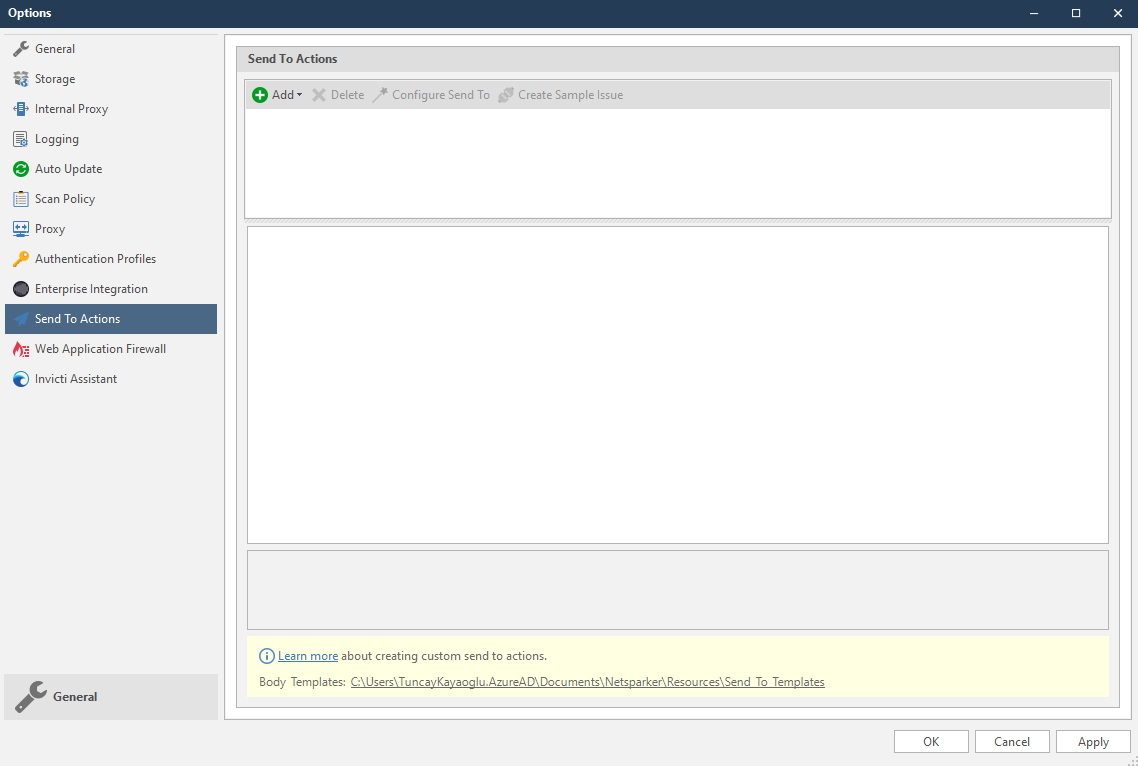
- From the Add dropdown, select Unfuddle. The Unfuddle fields are displayed.
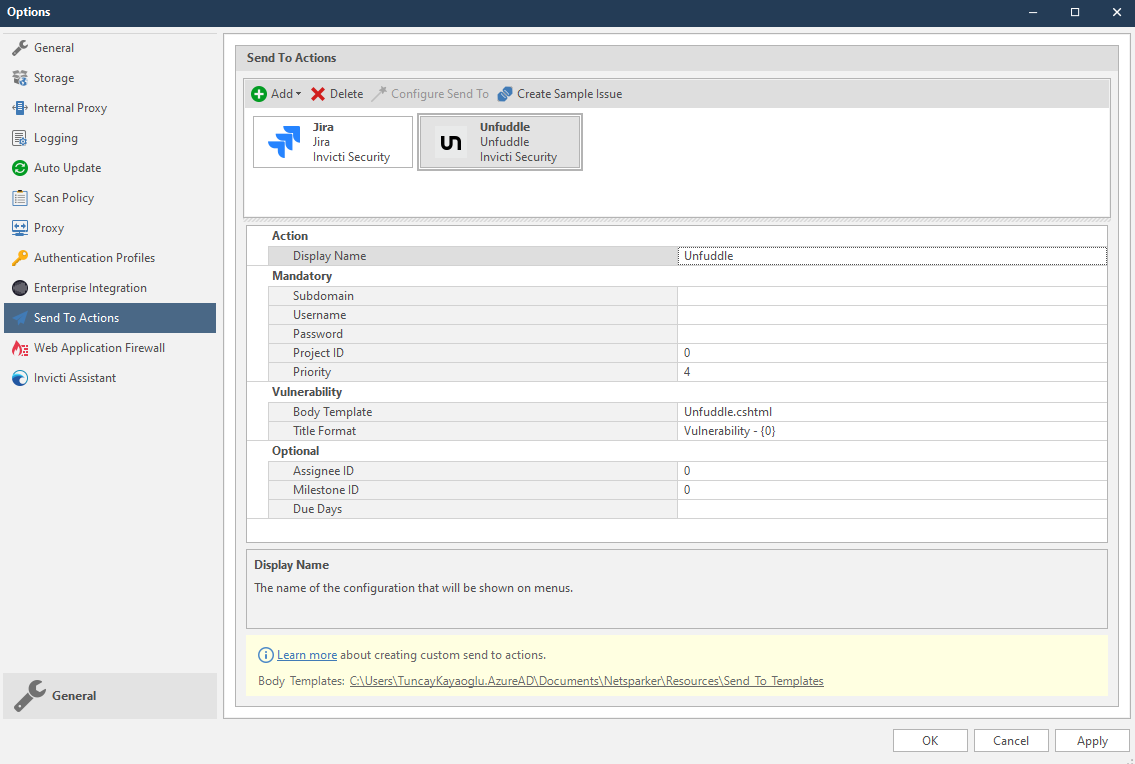
-
In the Mandatory section, complete the connection details:
- Subdomain
- Username
- Password
- Project ID
- Priority
-
In the Vulnerability section you can change the Body Template and Title format.
Body templates are stored in %userprofile%\Documents\Invicti\Resources\Send To Templates. If you use your own custom templates, store them in this location.
-
In the Optional settings you can specify:
- Assignee ID
- Milestone ID
- Due Days
-
Click Create Sample Issue to confirm that Invicti Standard can connect to the configured system. The Send To Action Test dialog is displayed.
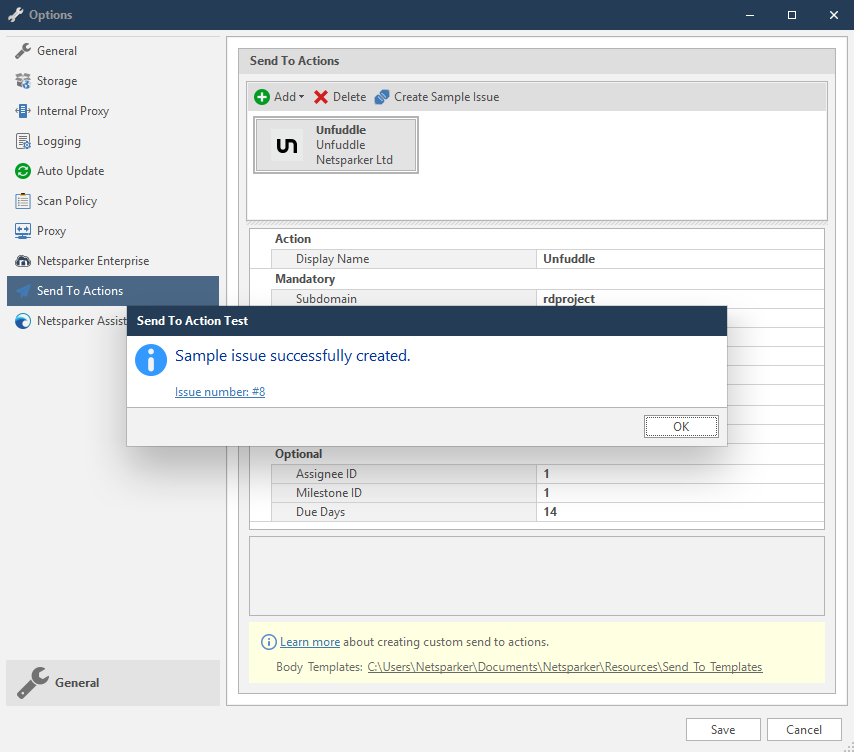
- In the Send To Action Test dialog, click the Issue number link to open the issue in Unfuddle in the default browser.
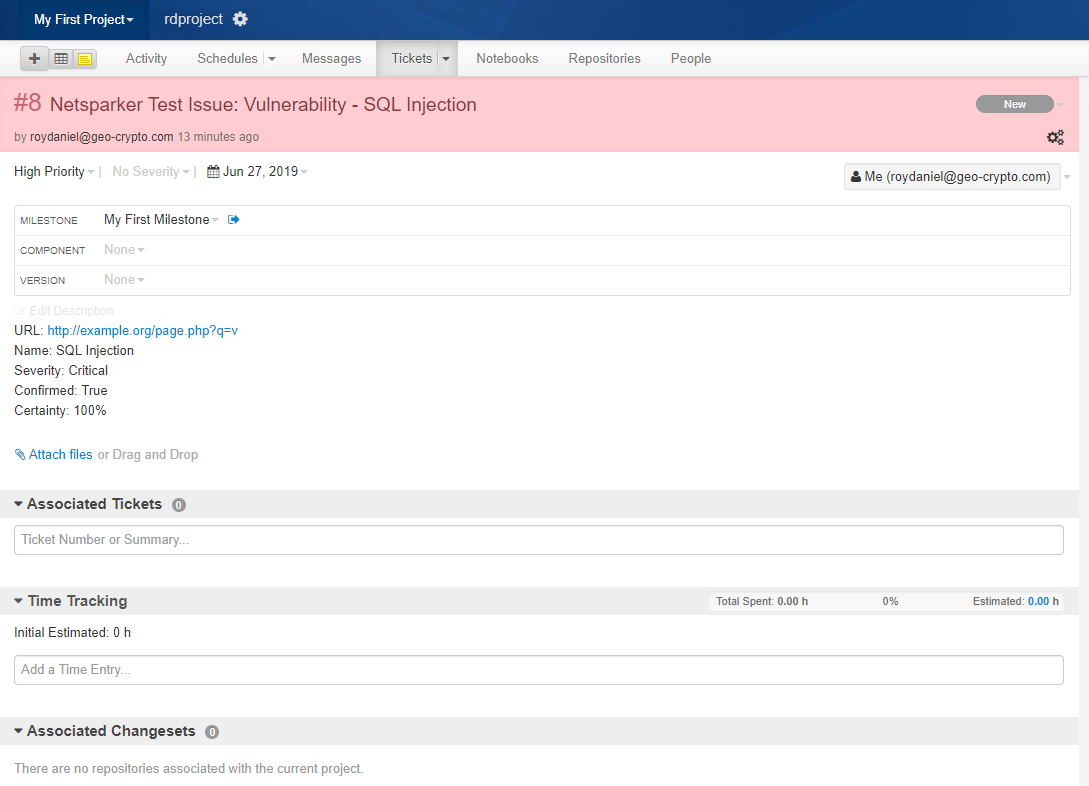
How to Export Reported Vulnerabilities to Projects in Unfuddle
Please ensure that you have first configured Unfuddle integration (see How to Integrate Invicti Standard with Unfuddle).
- Open Invicti Standard.
- From the ribbon, select the File tab. Local Scans are displayed. Double-click the relevant scan to display its results.
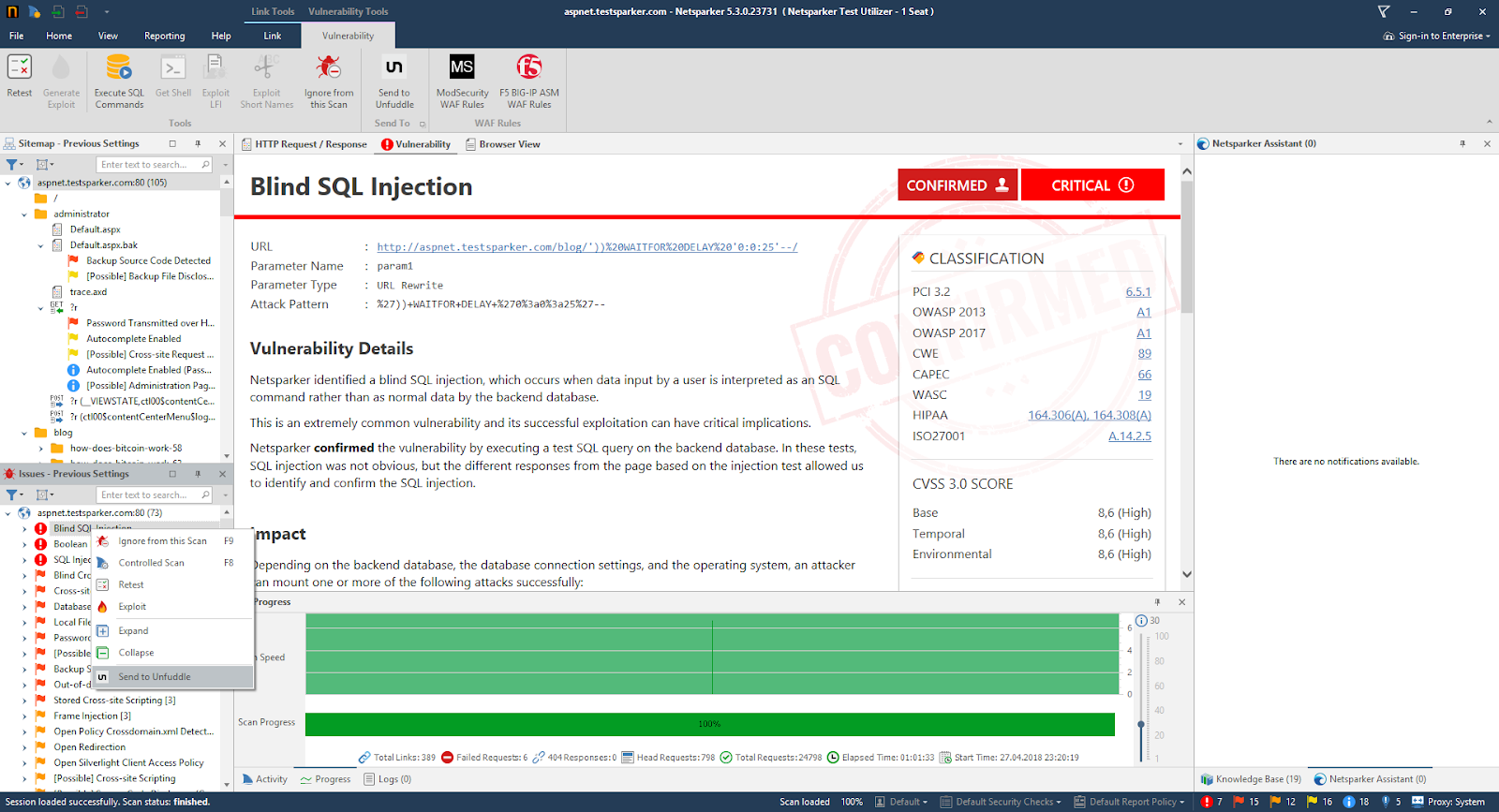
- In the Issues panel, right click the vulnerability you want to export to Unfuddle and select Send to Unfuddle. (Alternatively, click the Vulnerability tab, then Send to Unfuddle.) A confirmation message and link is displayed at the bottom of the screen.
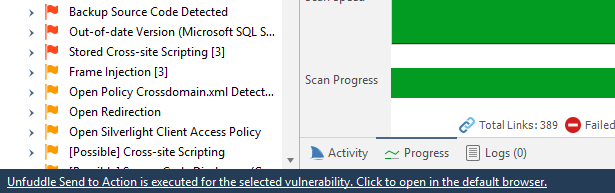
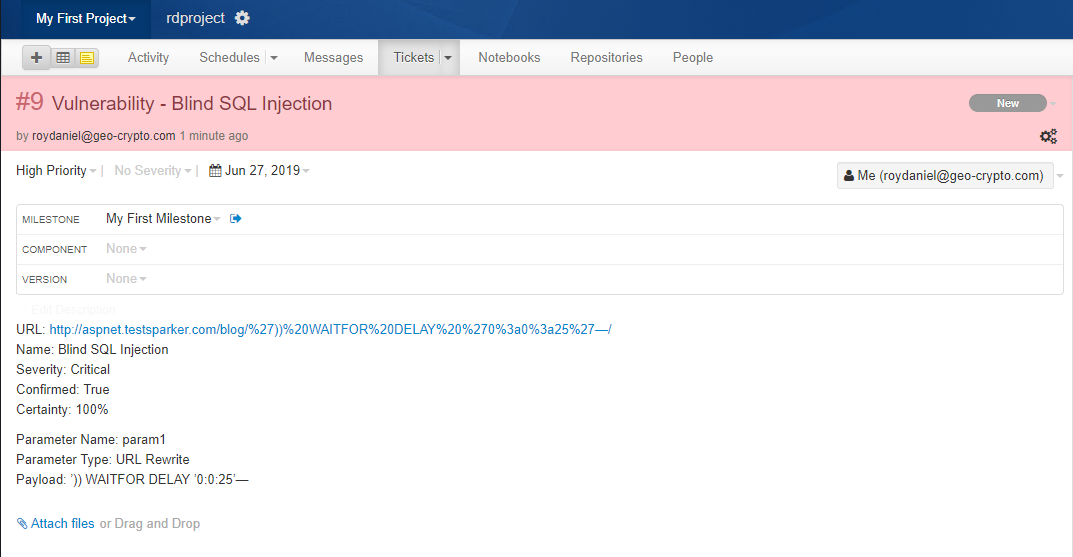
- Click the Unfuddle Send to Action is executed for the selected vulnerability link to see the newly-created issue in Unfuddle.
- The vulnerability is automatically exported to Unfuddle. You can view it in the Unfuddle's Tickets tab.
Need help?
Invicti Support team is ready to provide you with technical help. Go to Help Center